A new Diabolocom AI public API is now available and ready-to-use to analyze audio streams !
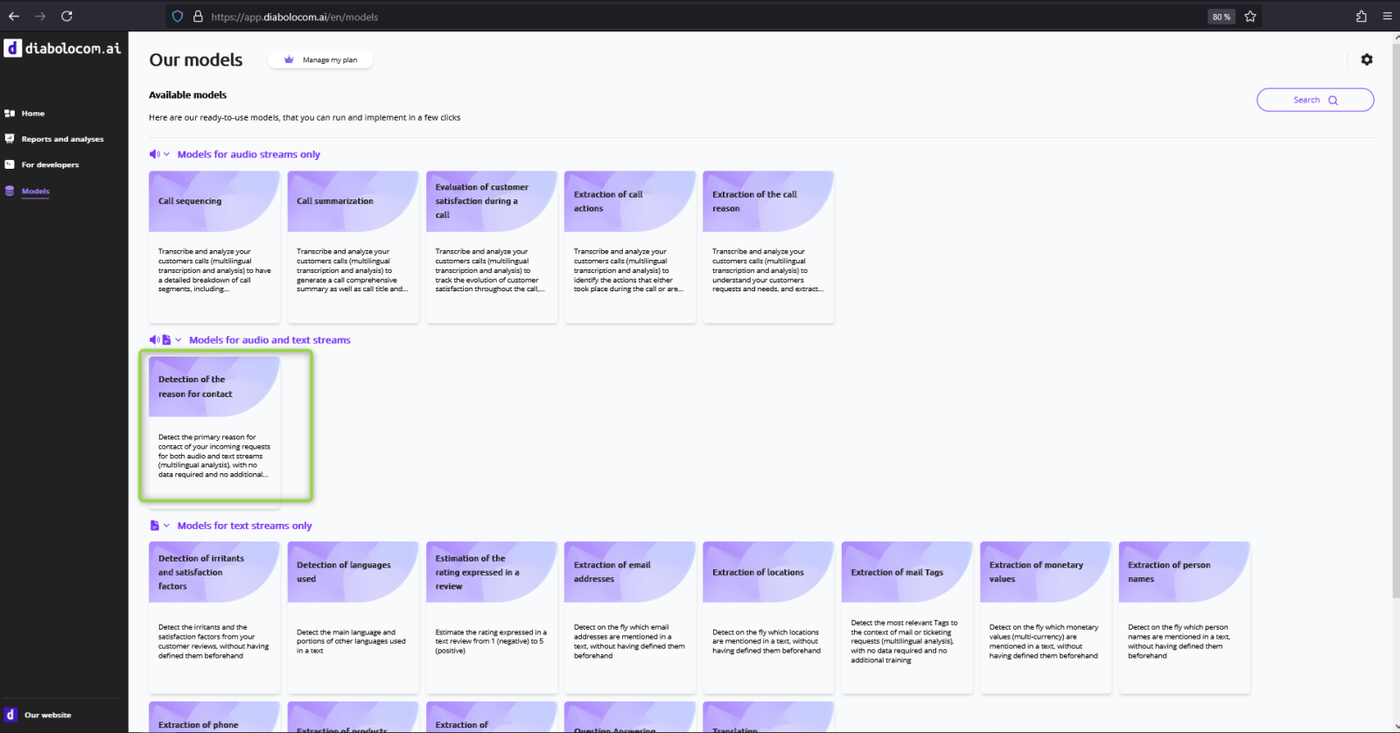
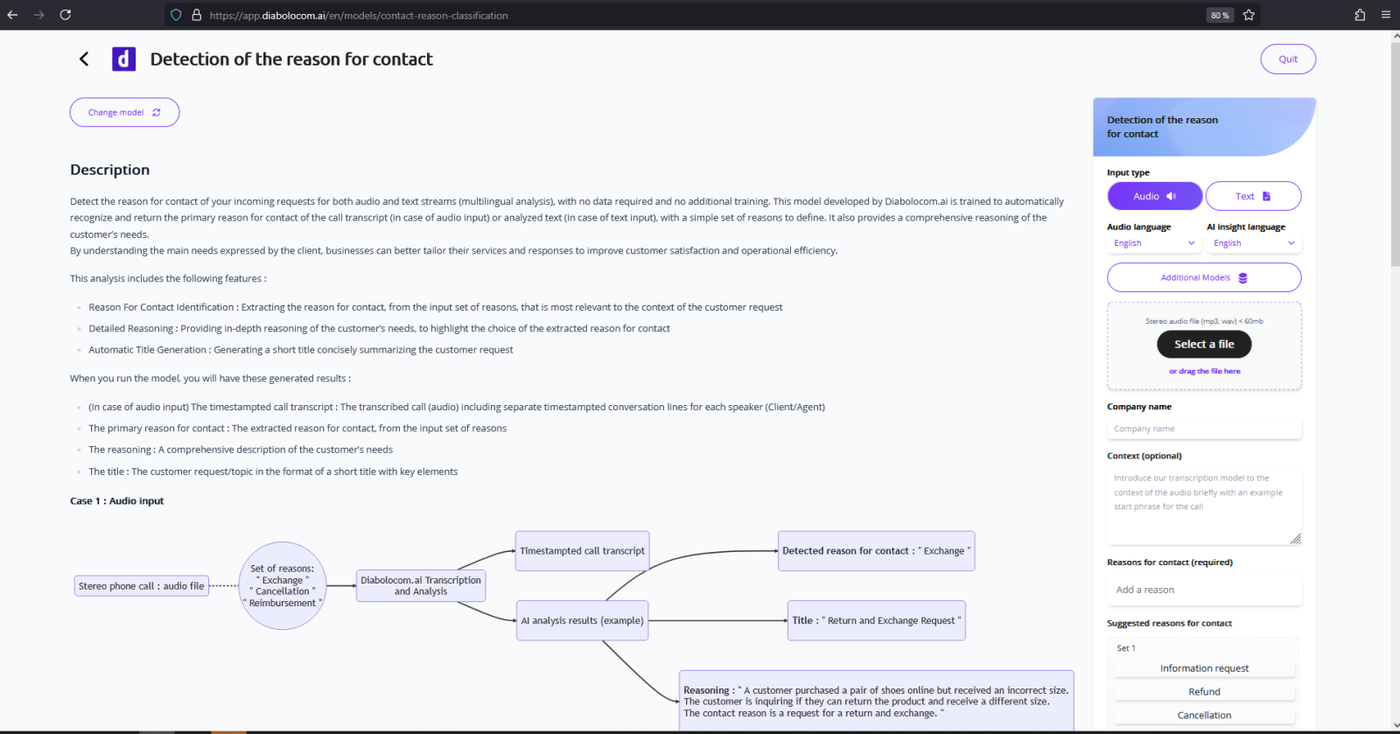
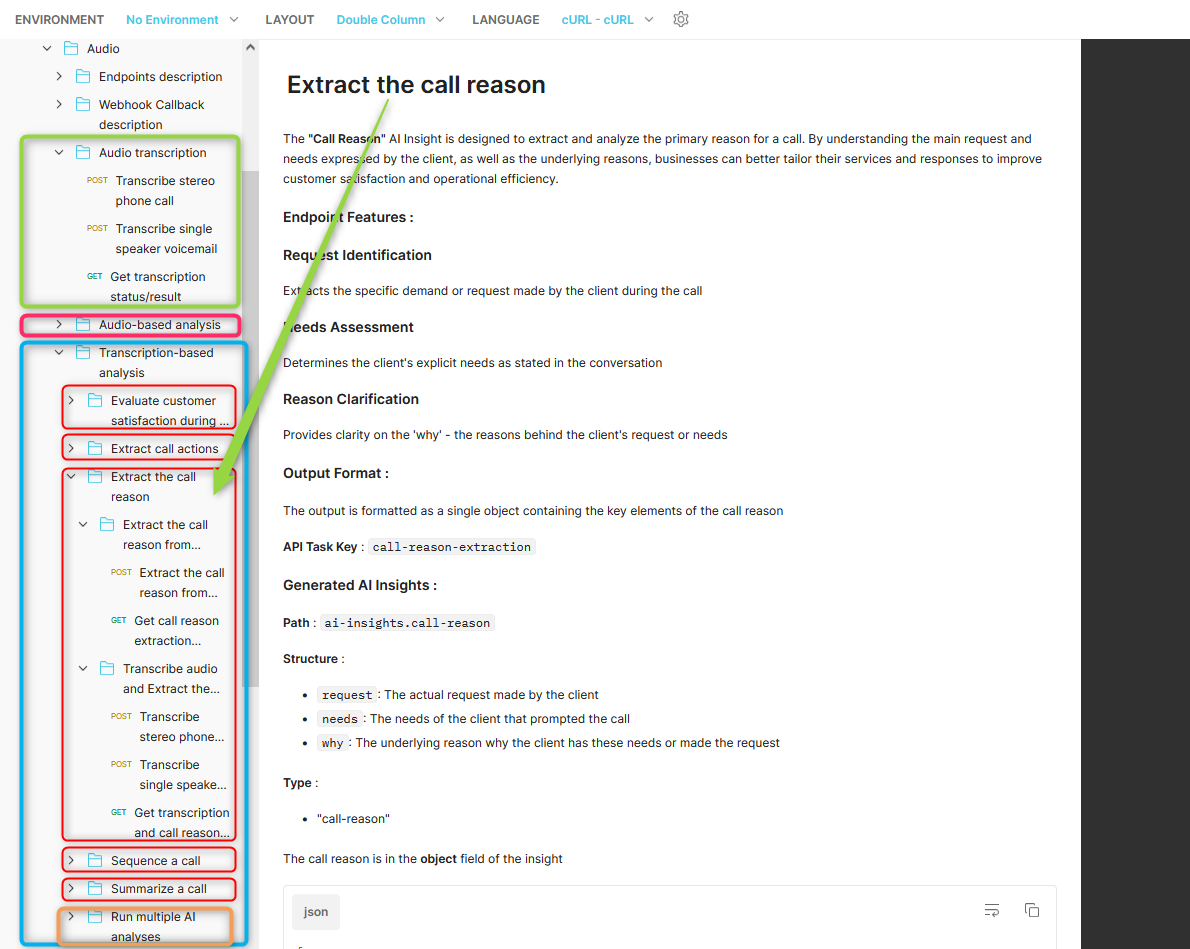
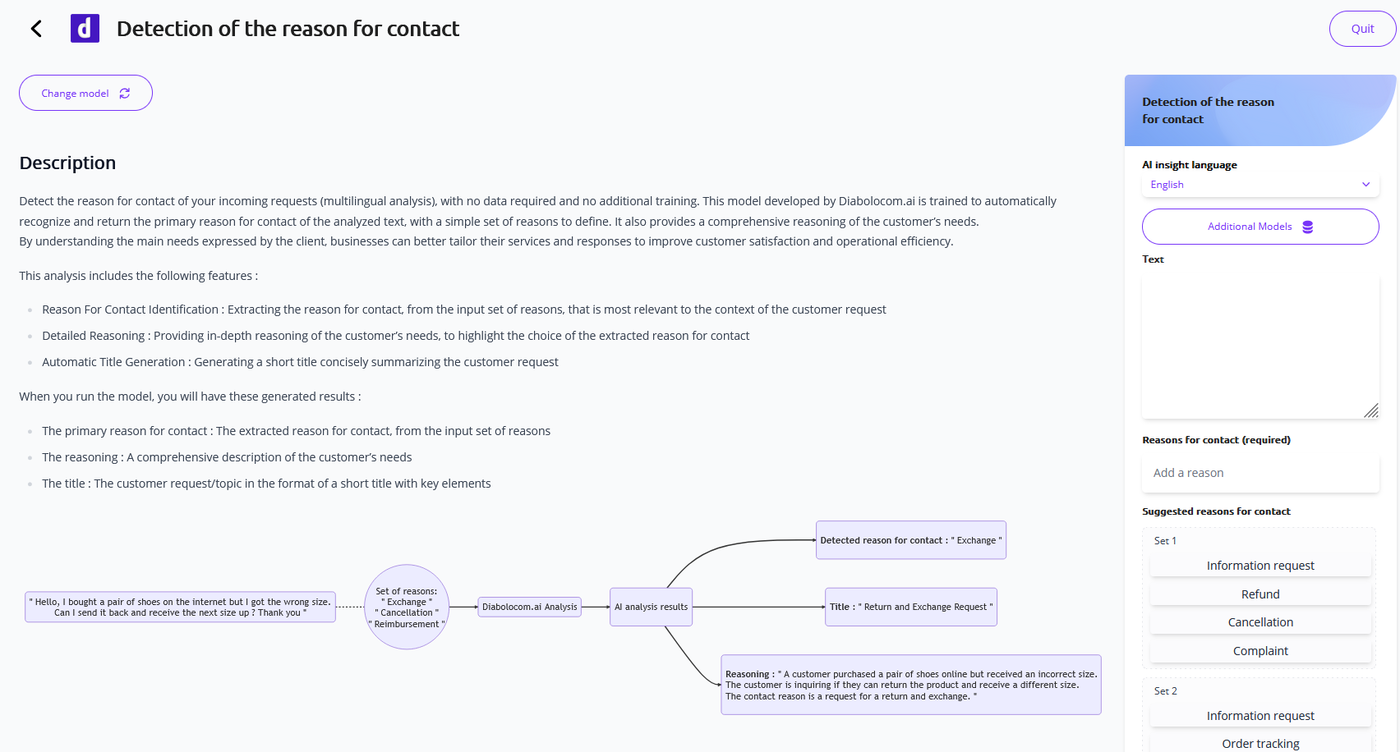
The "Reason For Contact"
AI Insight identifies and extracts the main reason for contact, from an
input set of possible reasons. It also provides a comprehensive
reasoning of the customer's needs.
By understanding the main needs
expressed by the client, businesses can better tailor their services and
responses to improve customer satisfaction and operational efficiency.
After being deployed for text streams, this model is now available to handle audio streams (Public API). It allows to have an AI-generated classification of contact center calls !
A new public API feature (AI App) is now allowing API integration with Diabolocom CCaaS.
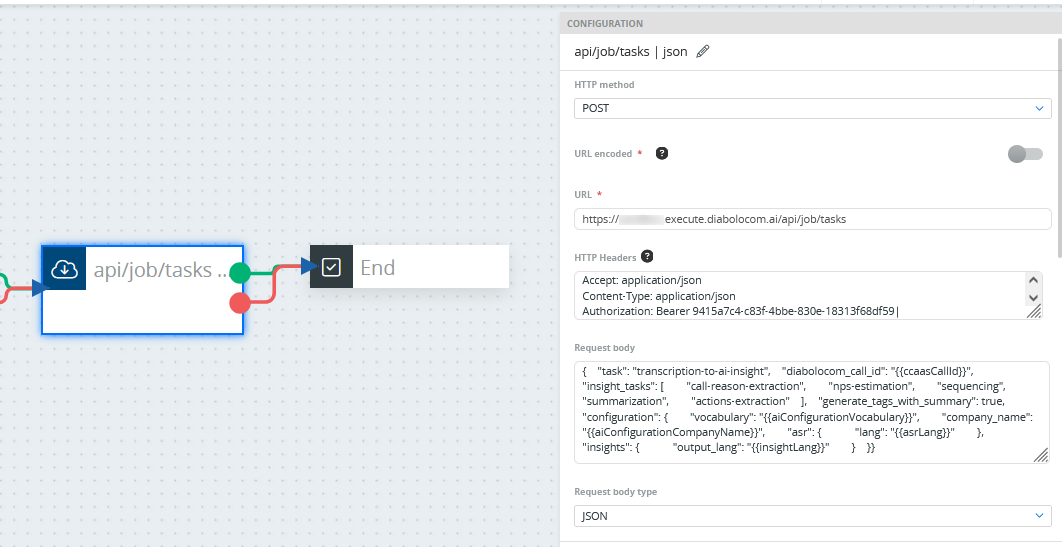
New API request parameter diabolocom_call_id (String) is introduced to match Diabolocom Call ID
Dedicated behavior is performed for DIabolocom Call recording access, among with call details retrieval, and their storage in AI task results and AI phone call metadata
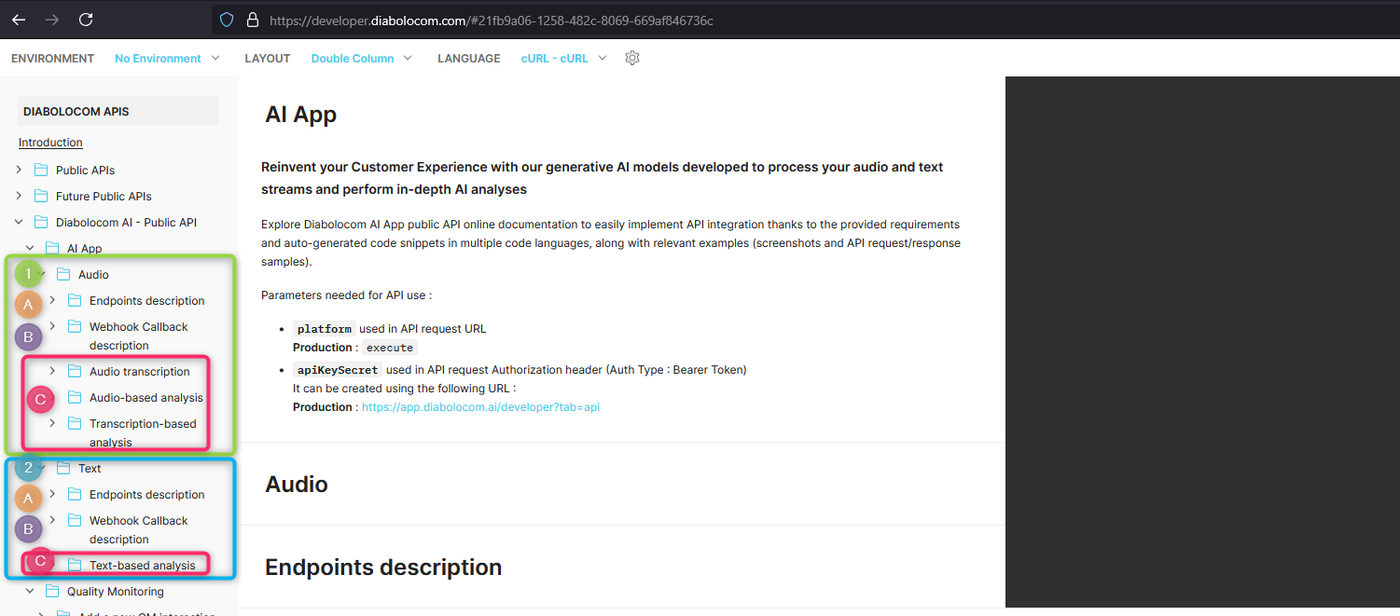
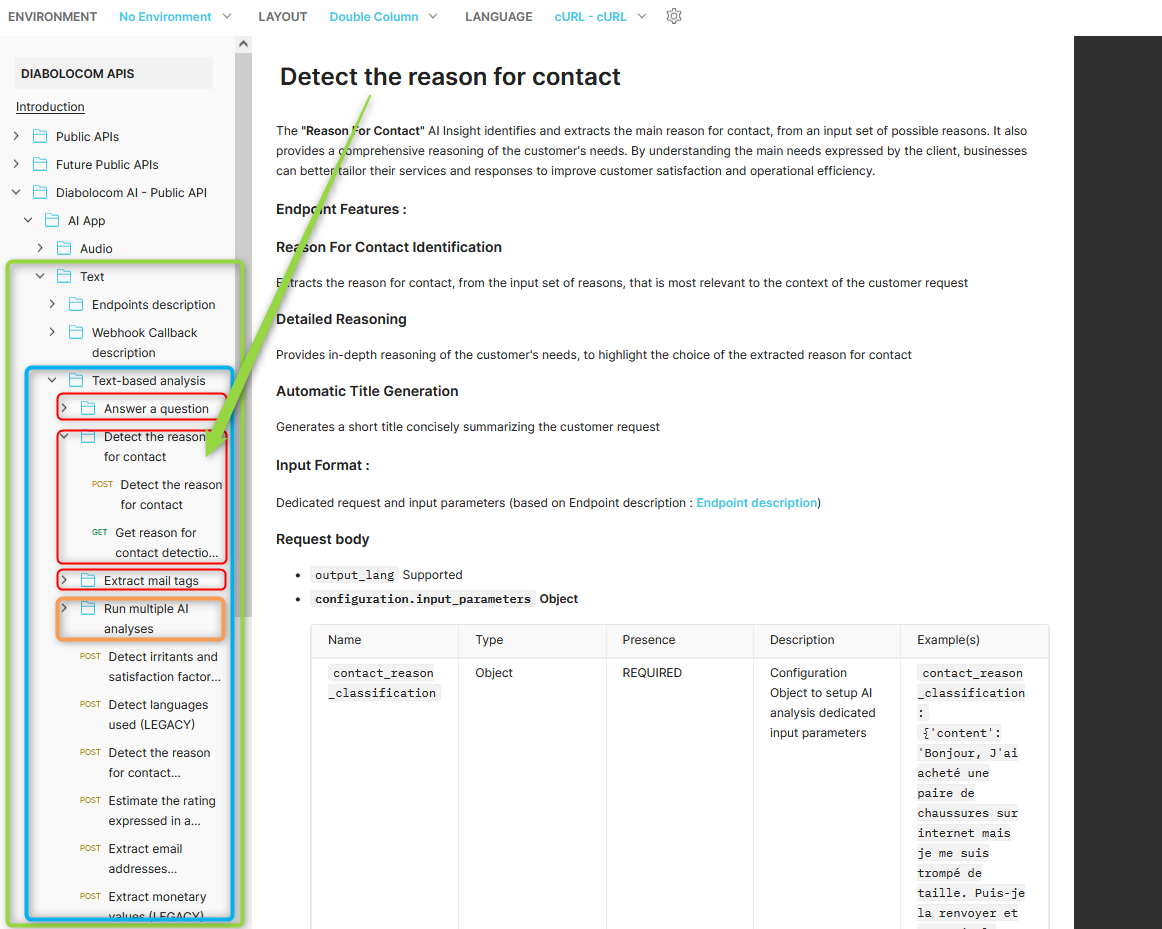
Explore AI Public API documentation for more details :
For the setup of public API integration with Diabolocom CCaaS, please reach your Project Manager for assistance !
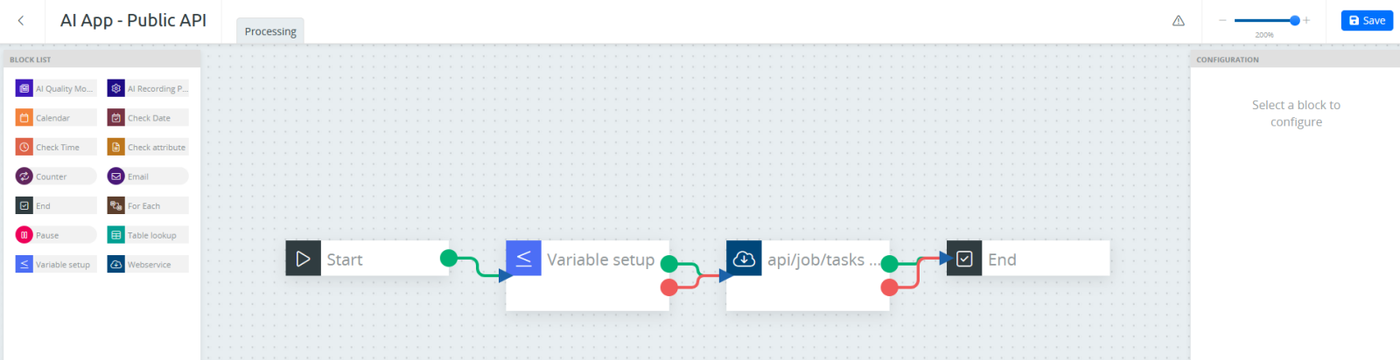
Sample use case : Public API integration within Diabolocom CCaaS scenario
Public API integration within Diabolocom CCaaS scenario - Custom scenario setupPublic API integration within Diabolocom CCaaS scenario - Webservices block setup
The Public API documentation link is also available in AI App home page and AI models pages.
Description :
Parameters required for API use
Endpoints and requests description
Query parameters
Request headers
Request body type and content parameters
Response body type and content parameters
Example requests
(1) Audio -> Dedicated for audio streams
(A) Endpoints description
api/job/tasks | form-data -> Run AI task based on audio (form-data payload) : Relevant for Standalone use case (audio file import)
api/job/tasks | json -> Run AI task based on audio (json payload) : Relevant for Public API Integration with Diabolocom CCaaS (voice) (for performing AI analyses on existing transcription job)
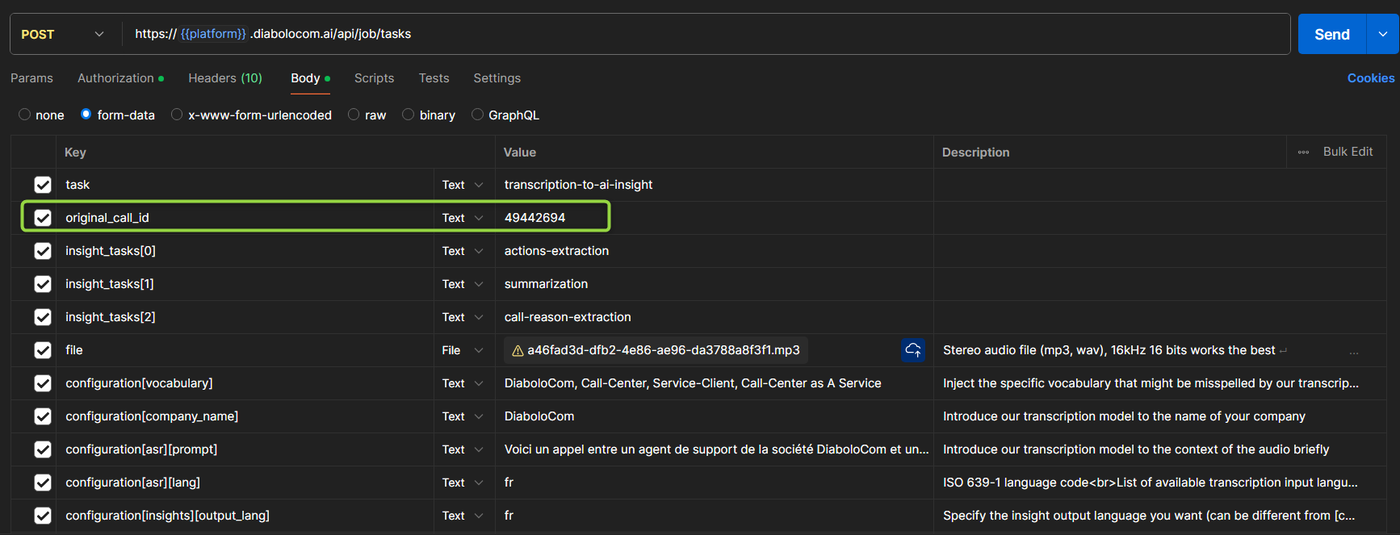
It is now possible to add an original call ID in AI public API (audio-based analysis) and have it stored when requesting AI analysis status and also displayed in detailed view of performed analysis.
Public API endpoint :api/job/tasks (for audio-based AI analysis)
Request format
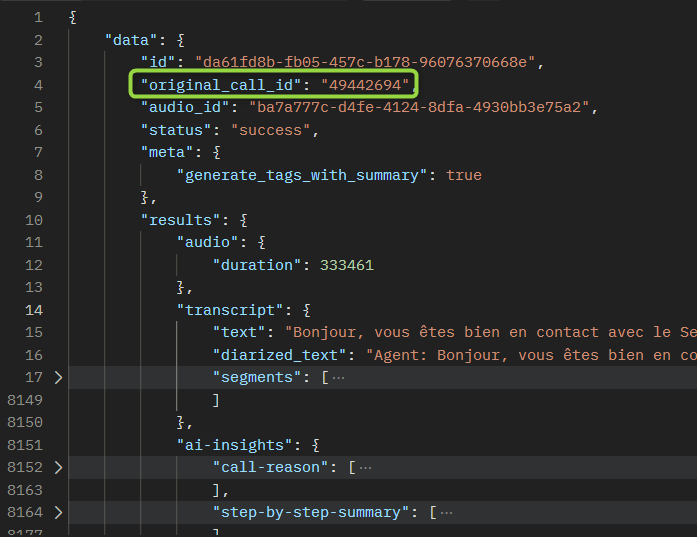
The original call ID can be added using the key original_call_id with a value of type String.
Example : audio-based AI analysis The request content type is form-data original_call_id: "49442694"
Response format
The job status API response body is in JSON format.
The original call ID is in data object such as "original_call_id": "49442694"
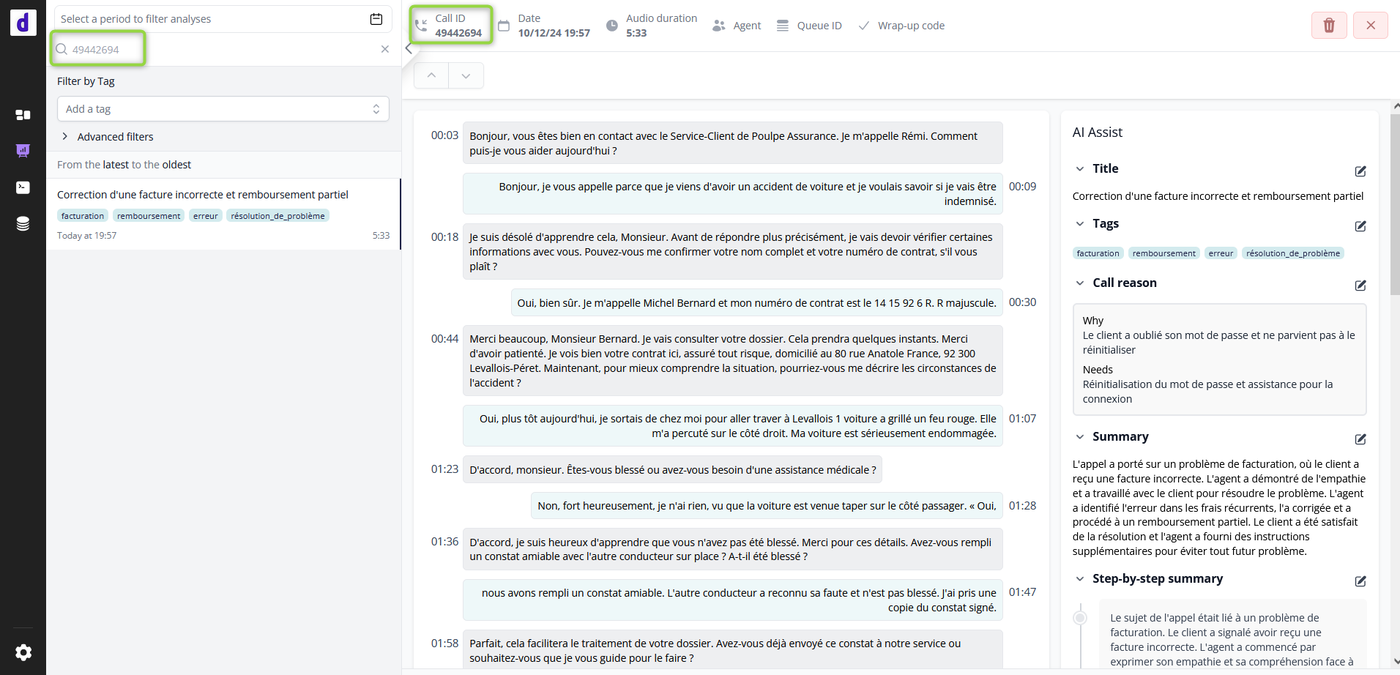
Display of added original call ID to the detailed view of performed analysis
The original call ID is displayed in the detailed view of performed analysis ("Analyses and reports" page).
It can be used in search filter to lookup for audio-based analyses with specific original call ID.
Screenshots
api/job/tasks (for audio-based AI analysis)
Sample request body using Public API for audio-based analysisSample result body using Public API for audio-based analysisDisplay of added original call ID to the detailed view of performed analysis - Search by original call ID
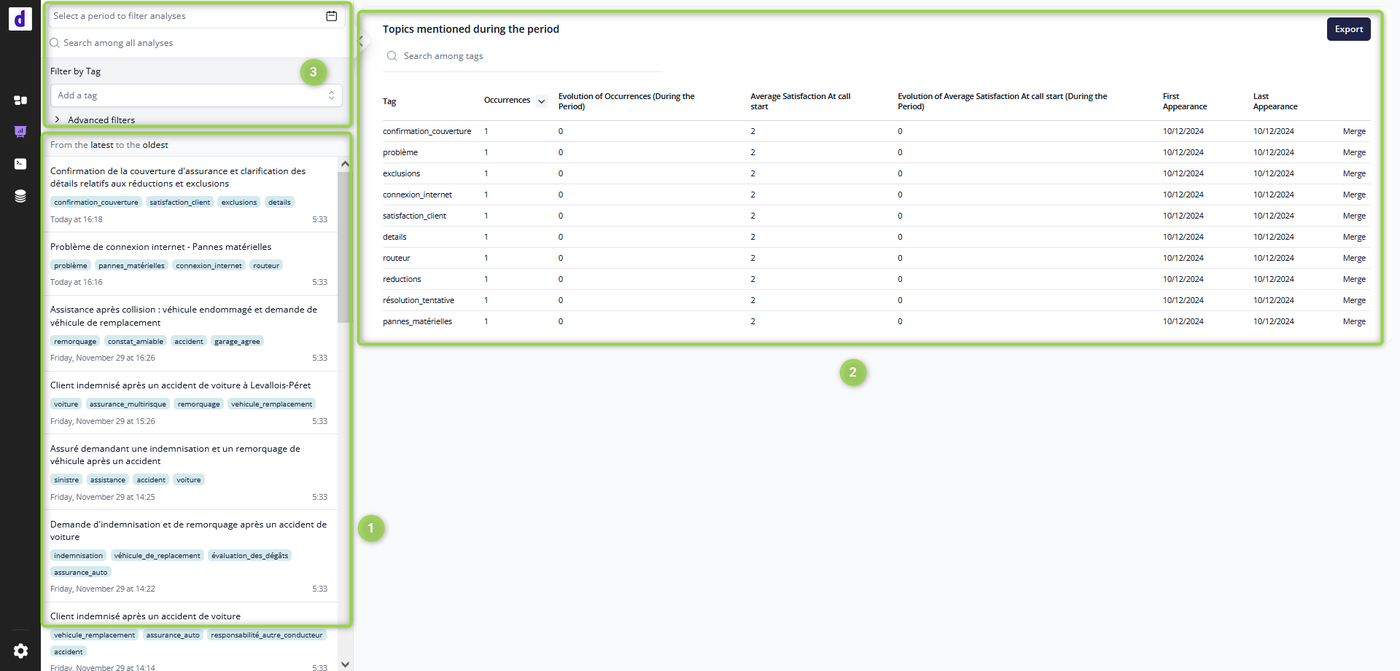
A new version of "Report and analyses" page is available on production in app.diabolocom.ai
The "Report and analyses" page is reworked to include the following features :
History of audio-based analyses performed
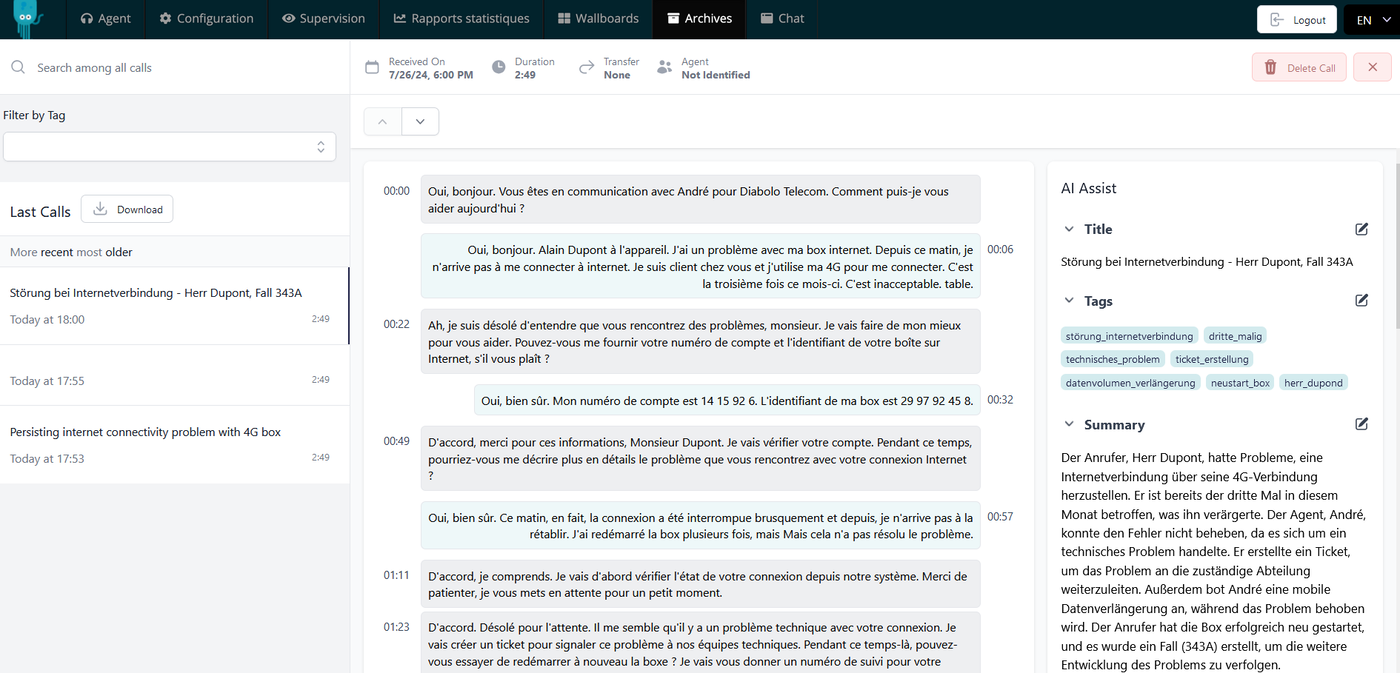
Detailed view of a single audio-based analysis, including transcript and AI results
Topics report based on tags generated
Enhanced search and filter capabilities
U.I. improvement for a better readability and user experience (styling harmonization, metadata filters applied on click, collapsible left panel, ...)
New "Reports and analyses" page - Overview (full access to AI app)
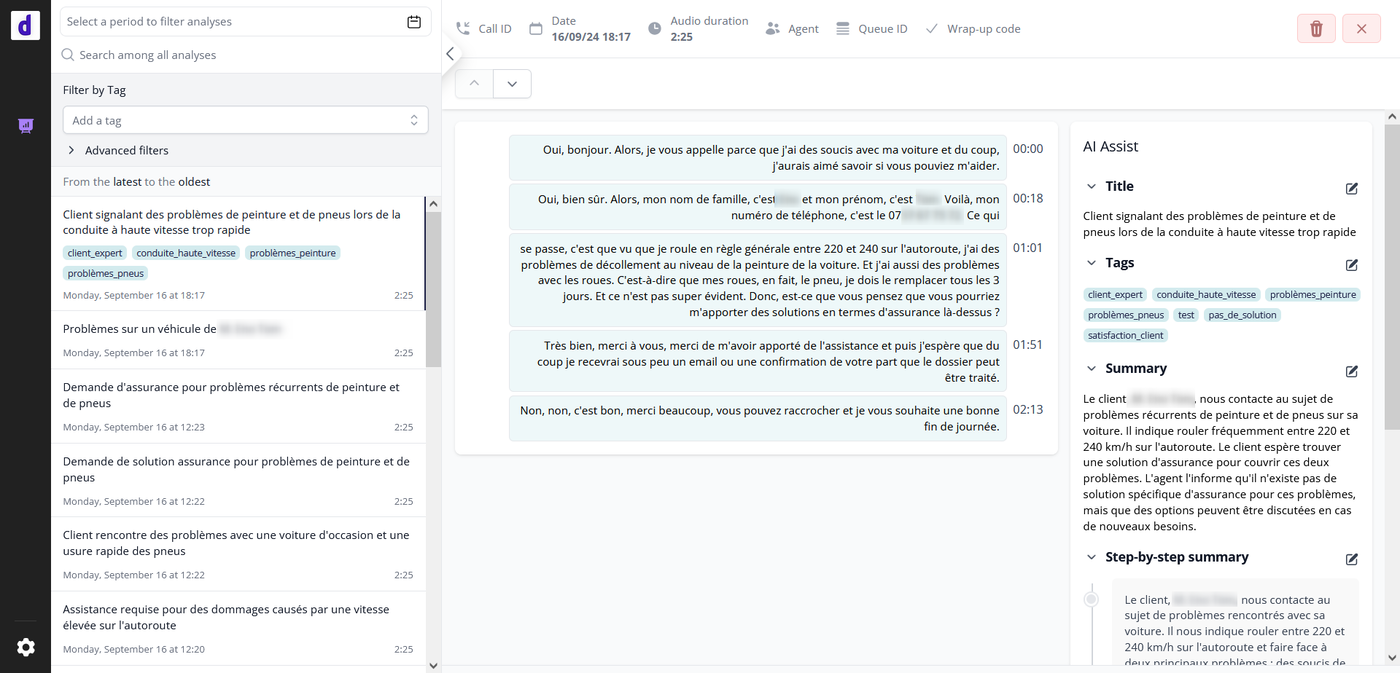
Also, thanks to a feature toggle implemented by AI team, it is possible to restrict users access to view only this page inside app.diabolocom.ai -> It can used by Diabolocom customers as a standalone solution "Voice Analytics - Interactions".
Voice Analytics - Interactions (restricted access to AI app)
Detailed list of features
(1) History of audio-based analyses performed : List of all audio-based analyses performed on AI account in descending chronological order (most recent first)
by default : All AI account analyses (20 most recent analyses, with a cursor to load more analyses)
If a filter is applied : AI account analyses filtered (20 most recent analyses, with a cursor to load more analyses)
Each row item represents an audio-based analysis (accessible by clicking on the item) with the following information :
Date and time of analysis
Audio duration
Title generated if summarization AI model applied (otherwise empty title)
List of tags generated if summarization AI model applied with optional tag generation enabled (otherwise empty)
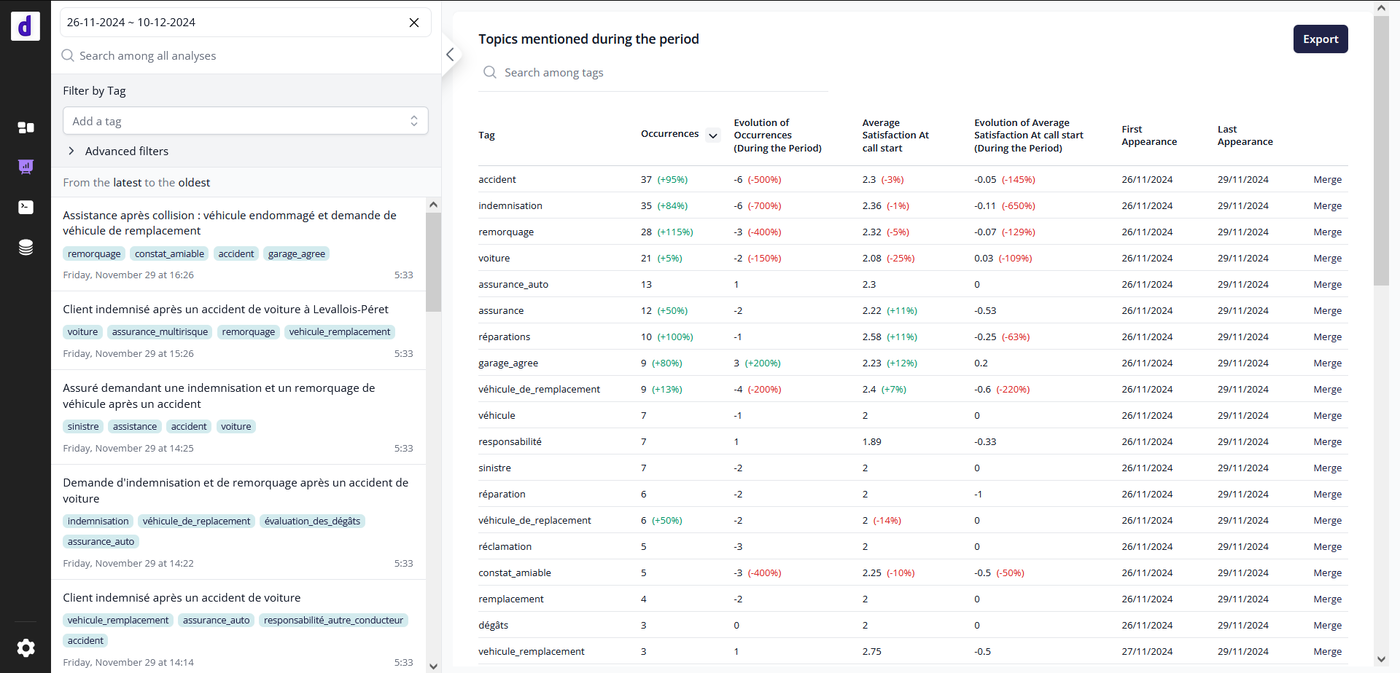
(2) Statistic Report "Topics mentioned during the period" : Report based on tags generated if summarization AI model applied with optional tag generation enabled and if nps-estimation AI model applied as well
by default : Tags statistics for current date
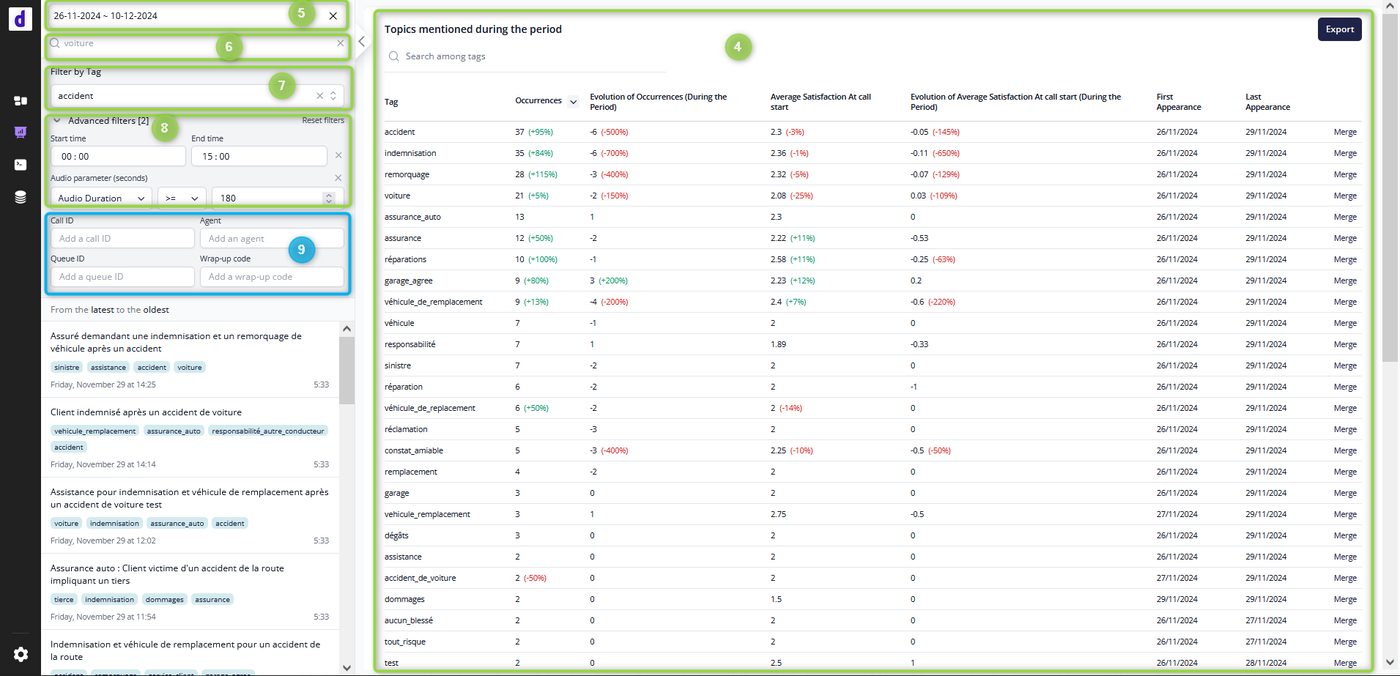
(4) If a date period filter is applied : Tags statistics during the selected period (max date period: 33 days)
The report can show up to 50 results, ordered by default by number of descending tag occurrences order (it is possible to change results order).
It is also possible to export tags report results with "Export" button ➝ Excel file.
In addition to date period filter, it is possible to apply a filter by tag name (search field).
It is also possible to merge tags, in order to keep only relevant tags, with combined statistics (all stats of merged tag are added to designated tag).
! Metrics on client satisfaction related to tags are only generated when AI model nps-estimation applied (otherwise not incremented).
(3) Enhanced search and filter capabilities
(5) Filter by date period ➝ applied on both AI analyses list and Tags report
(6) Search among all analyses ➝ Filter applied on AI analyses list with a partial match of : - tag name ➝ search among all tags containing user input (a portion in tag name) - transcript ➝ search among all transcripts containing user input - id or provider_id ➝ search among all audio-based analyses internal ID (id) or external ID (provider_id) : Call ID for instance
(7) Filter by tag name ➝ Filter applied on AI analyses list with an exact match of tag name (the complete tag name)
(8) Advanced Filters ➝ Filter applied on AI analyses list - Filter by time period - Filter by audio duration (in seconds) - (9) Diabolocom CCaaS Metadata filters ➝ Filters visible only if the AI account is linked to a Diabolocom CCaaS account, applied on AI analyses list -- Filter by Call ID (Diabolocom CCaaS Call ID) -- Filter by Agent (Diabolocom CCaaS agent login) -- Filter by Queue ID (Diabolocom CCaaS Queue ID) -- Filter by Wrap-up code (Diabolocom CCaaS wrap-up code name)
"Reports and analyses" page - Overview of audio-based analyses and reports (default)"Reports and analyses" page - Overview of audio-based analyses and reports (filters applied)
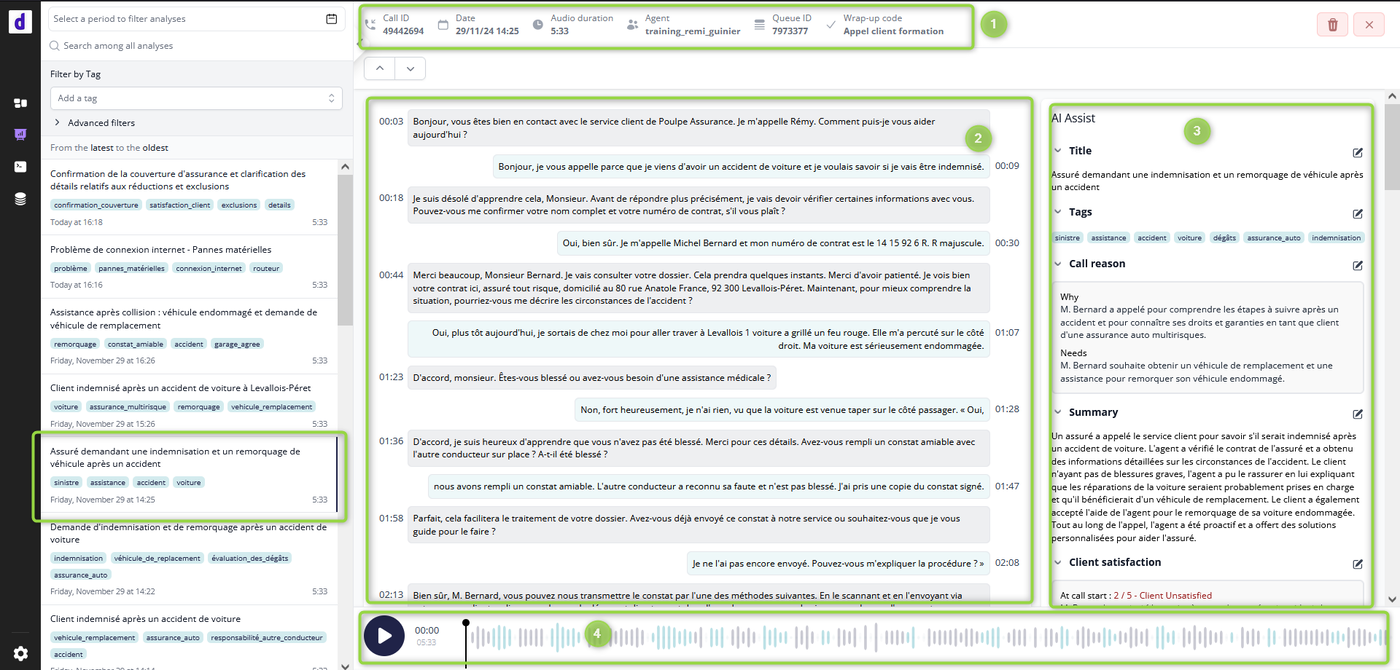
Detailed view of a single audio-based analysis, including transcript and AI results :
(1) Audio-based analysis Metadata
Call ID: - Diabolocom CCaaS Call ID in case of AI account linked to Diabolocom CCaaS - External ID provided in API request payload original_call_id
Date and time
Audio duration
Agent: Diabolocom CCaaS Agent Name in case of AI account linked to Diabolocom CCaaS (otherwise empty)
Queue ID: Diabolocom CCaaS Queue ID in case of AI account linked to Diabolocom CCaaS (otherwise empty)
Wrap-up code: Diabolocom CCaaS Wrap-up code name in case of AI account linked to Diabolocom CCaaS (otherwise empty)
(2) Timestamped transcript
(3) AI analyses results
(4) Audio player to listen to audio (with highlight in transcript)
In case of AI account linked to Diabolocom CCaaS : audio fetched from CCaaS account ➝ available during audio recording retention time in CCaaS
Otherwise : audio available only if audio stored (API request parameter keep_audio_after_analysis:1)
"Reports and analyses" page - Detailed view of a single audio-based analysis
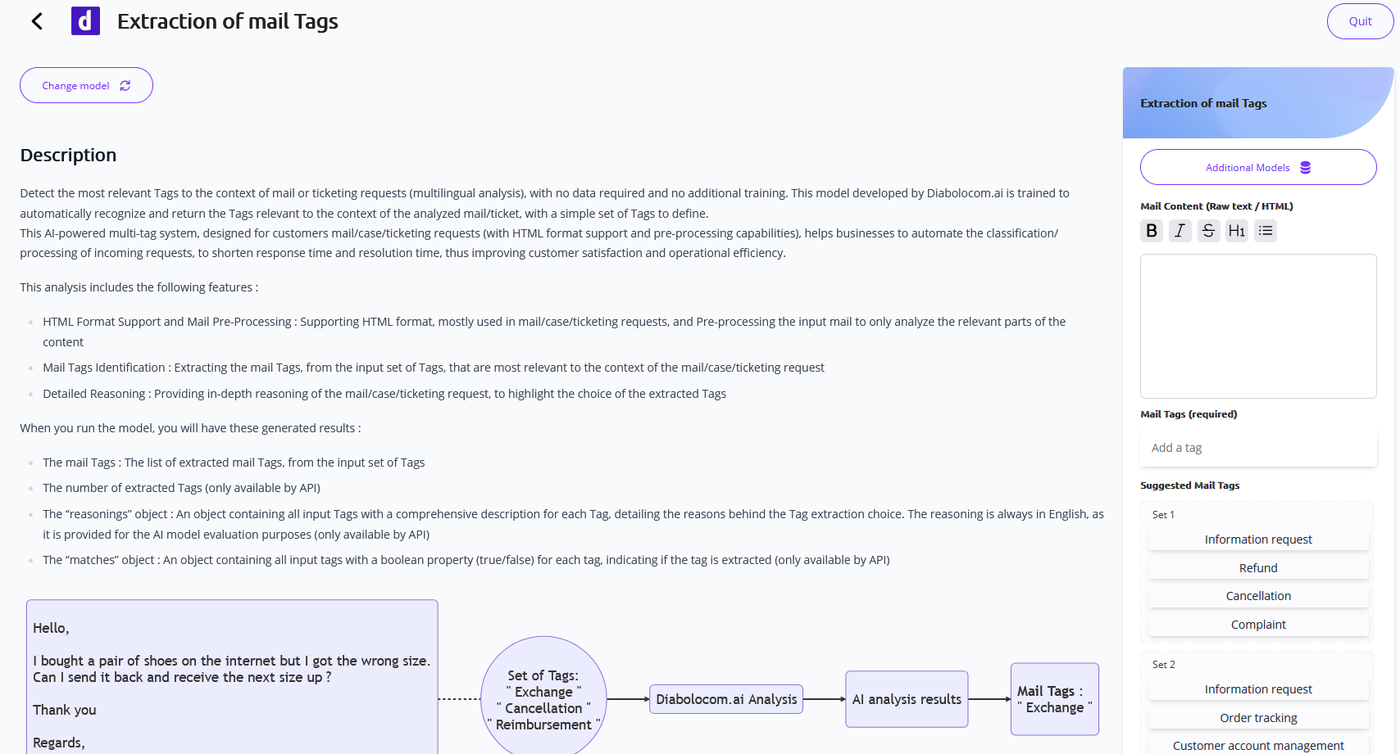
A new Diaboloom AI public API is now available and ready-to-use to analyze mail/case/ticketing streams !
The "Mail Tags"
AI Insight identifies and extracts the most relevant Tags to the
context of an email, from an input set of possible Tags.
This AI-powered
multi-tag system, designed for customers mail/case/ticketing requests
(with HTML format support and pre-processing capabilities), helps
businesses to automate the classification/processing of incoming
requests, to shorten response time and resolution time, thus improving
customer satisfaction and operational efficiency.
A new Diaboloom AI public API is now available and ready-to-use to analyze text streams !
The "Reason For Contact"
AI Insight identifies and extracts the main reason for contact, from an
input set of possible reasons. It also provides a comprehensive
reasoning of the customer's needs.
By understanding the main needs
expressed by the client, businesses can better tailor their services and
responses to improve customer satisfaction and operational efficiency.
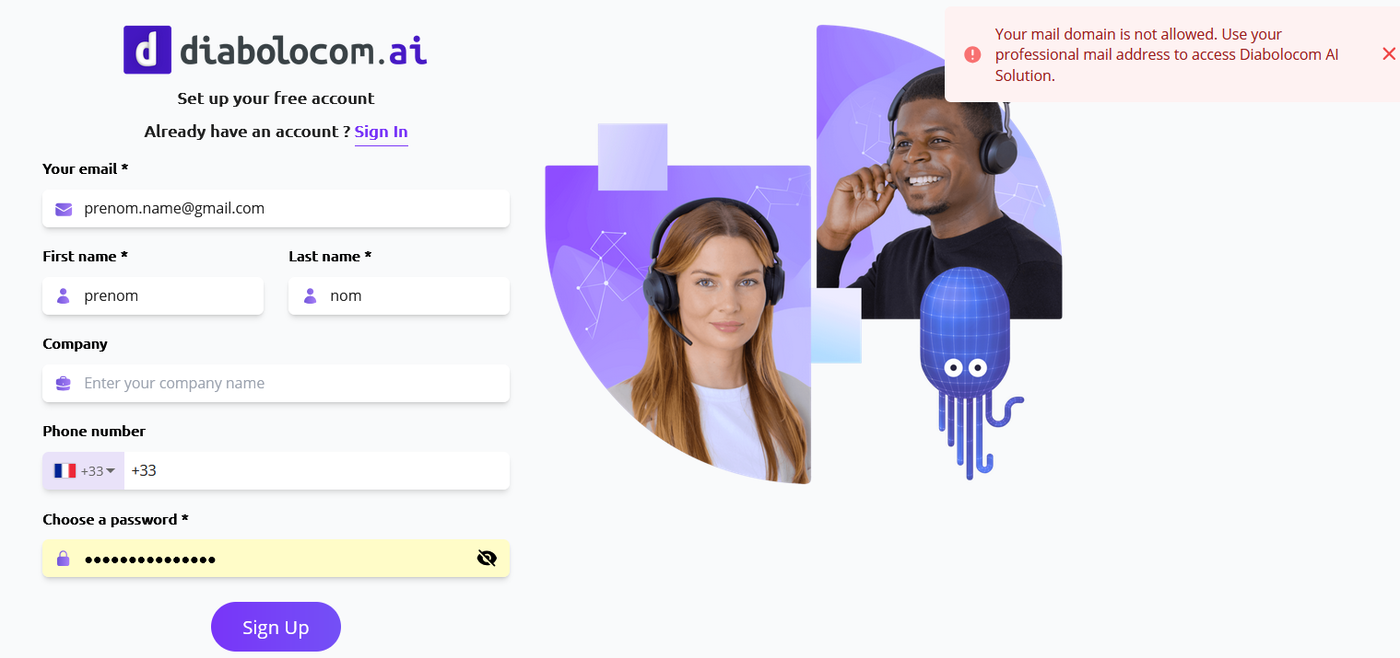
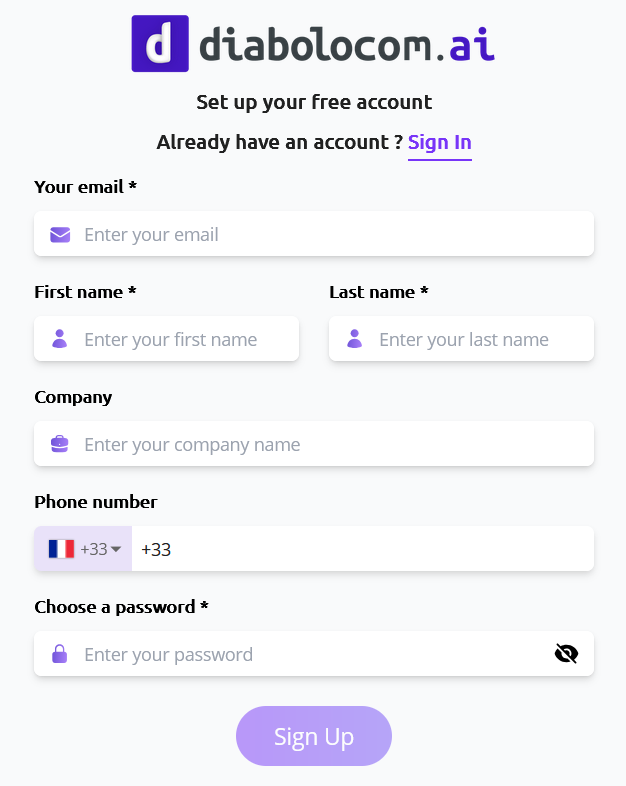
In order to prevent retail customers from the registration to app.diabolocom.ai and the use AI APIs, a domain blacklist is implemented, meaning a list of email domains that cannot sign up and have access to app.diabolocom.ai
The main idea is to make sure that only professional email addresses are allowed to use the AI app and APIs, that should be linked to Business customers behind.
A user, that has an email address in the domain blacklist, is prevented from registration to app.diabolocom.ai and receives an error. Also, an existing user cannot update the email address to a new email, if the new provided email is in the domain blacklist : an error is raised.
Sign up page - Case of user registration with an email address in the blacklist
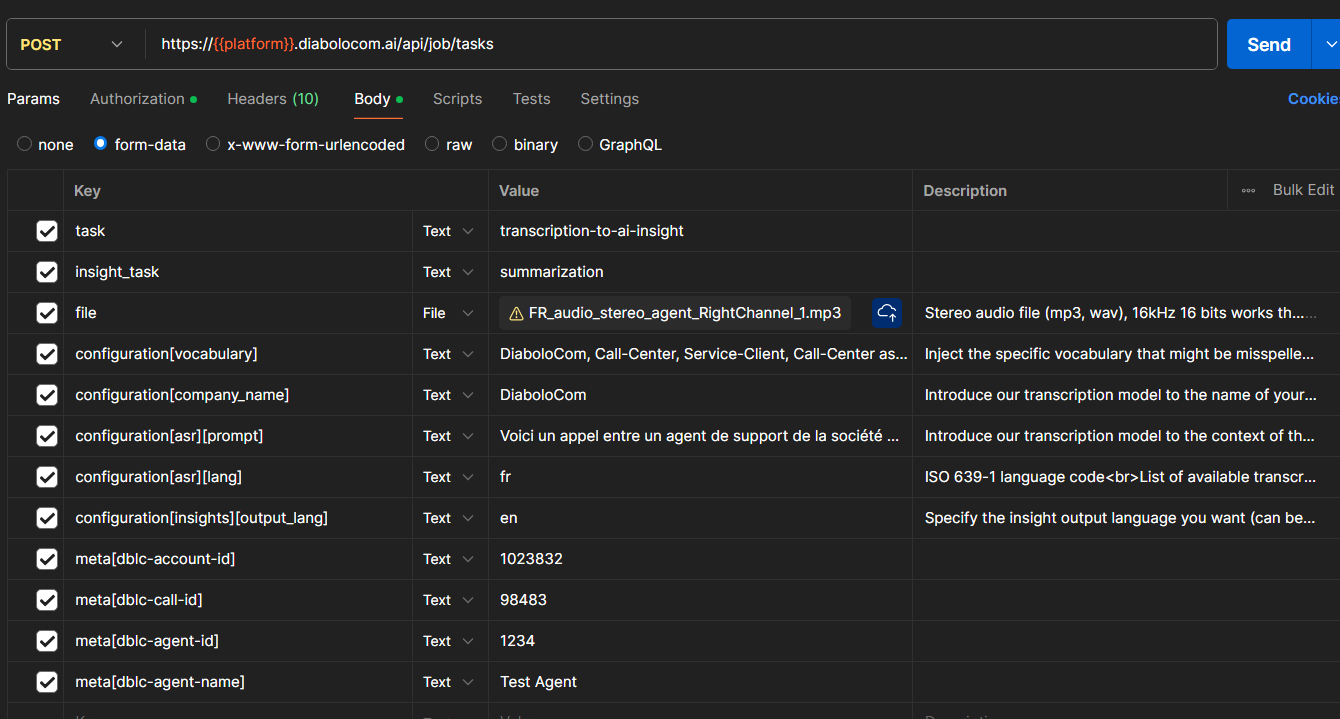
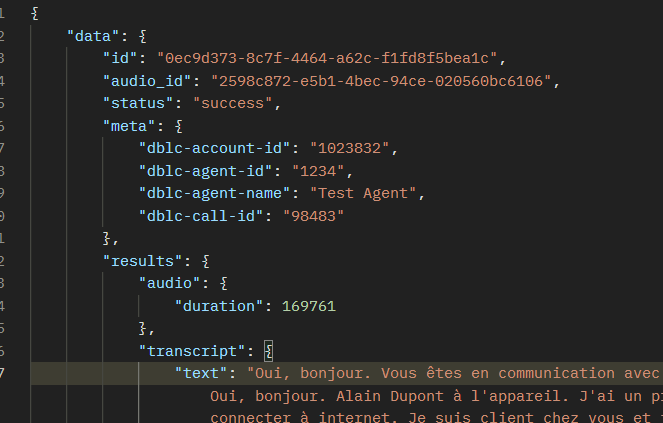
It is now possible to add metadata in AI APIs, with custom data relevant to the customer request and context, that is sent in API request payload and is then retrieved in API response content.
This feature will allow project managers and customers, that are using AI APIs, to link the performed AI analysis with :
CCaaS relevant parameters : call id or mail id, thread id, queue id or queue name, agent id, agent name, ...
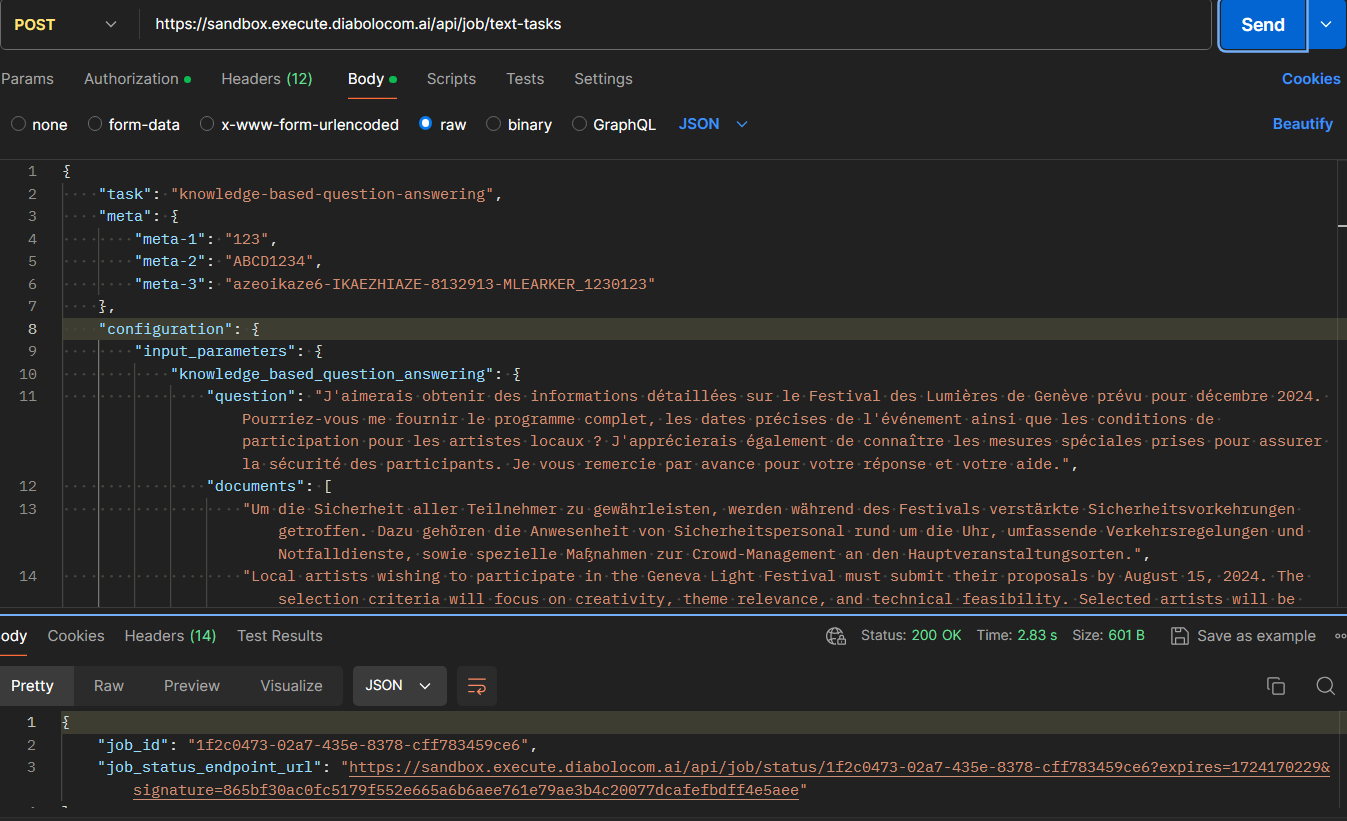
The possibility to add metadata is available for all public API endpoints : api/job/tasks (for audio-based AI analysis) api/job/text-tasks (for text-based AI analysis)
Request format
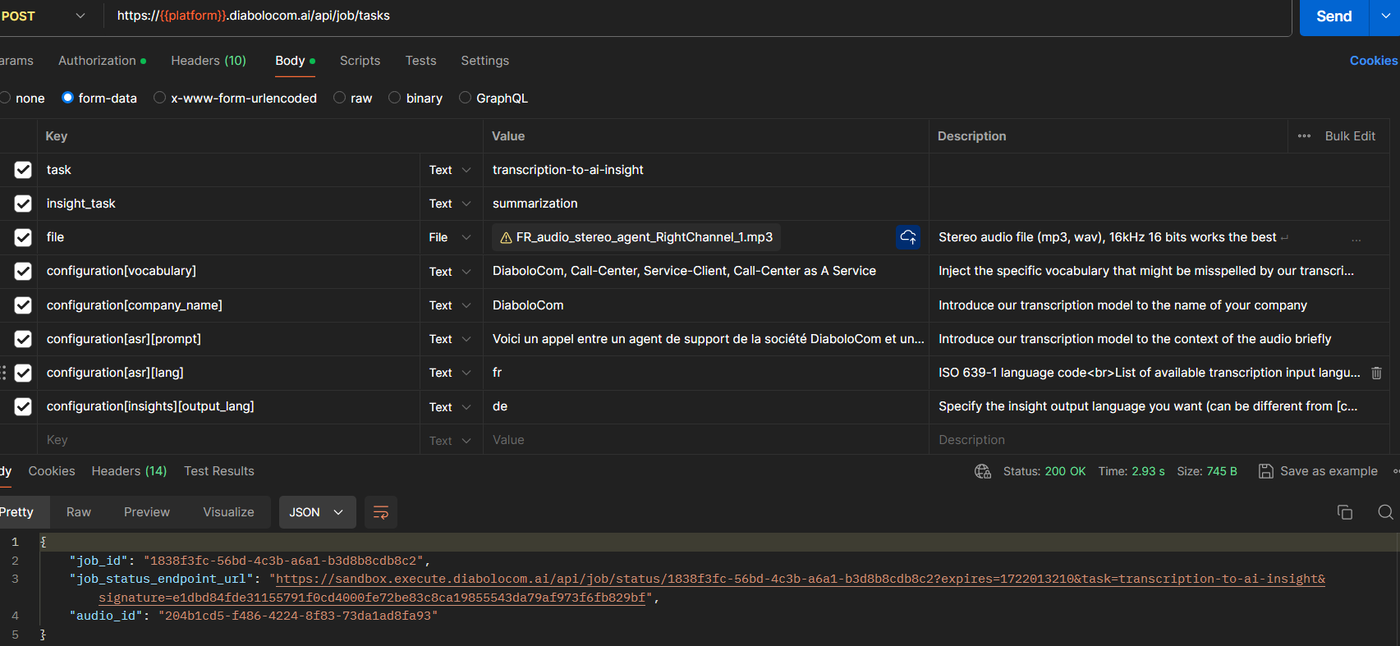
The metadata can be added using the objectmeta that has stringkey:value pairs.
⚠️ meta keys are automatically converted to Lower Case format (e.g. Diabolocom_Id is converted to diabolocom_id). It
is recommended to add keys in Lower Case format, to have identical meta
keys for both input and output payloads (content of meta object).
Example 1 : Case of audio-based AI analysis The request content type is form-data meta[dblc-account-id]: "1023832" meta[dblc-call-id]: "98483" meta[dblc-agent-id]: "1234" meta[dblc-agent-name]: "Test Agent"
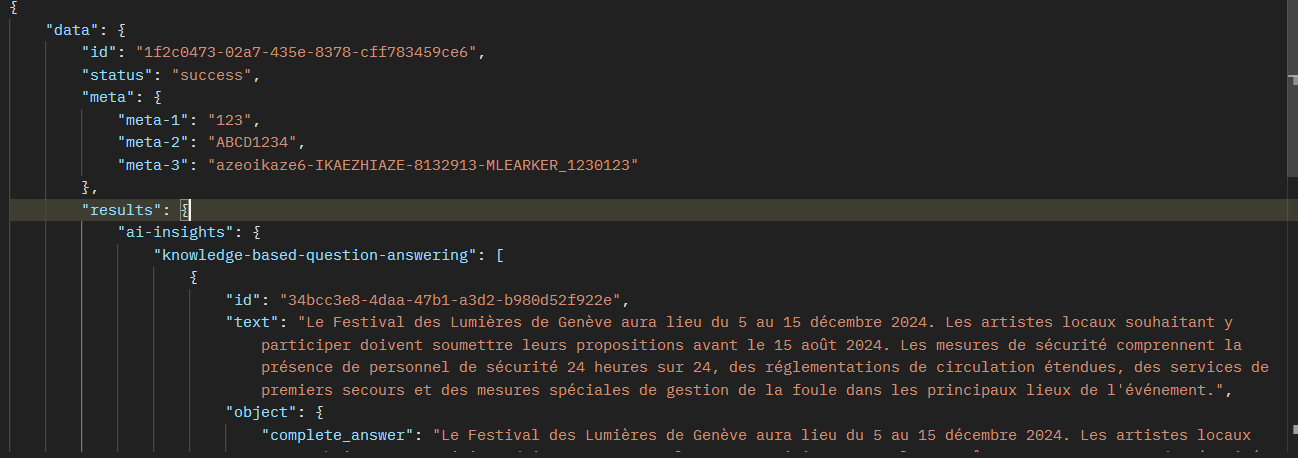
Example 2 : Case of text-based AI analysis The request content type is JSON "meta": {"mail-id": "1024", "contact-session-id": "5db2c7cc-64d5-4b0a-be1f-453e9b47bff6", "thread-id": "758"}
Response format
The job status API response body is in JSON format. Metadata is contained in the object meta that has stringkey:value pairs.
Screenshots
api/job/tasks (for audio-based AI analysis)
Sample request body using Public API for audio-based analysis Sample result body using Public API for audio-based analysis
api/job/text-tasks (for text-based AI analysis)
Sample request body using Public API for text-based analysis Sample result body using Public API for text-based analysis
After implementing Audio encryption feature, we introduce a new parameter to
transcription and transcript-to-ai-insight enabled endpoints to request for
audio to be stored long term.
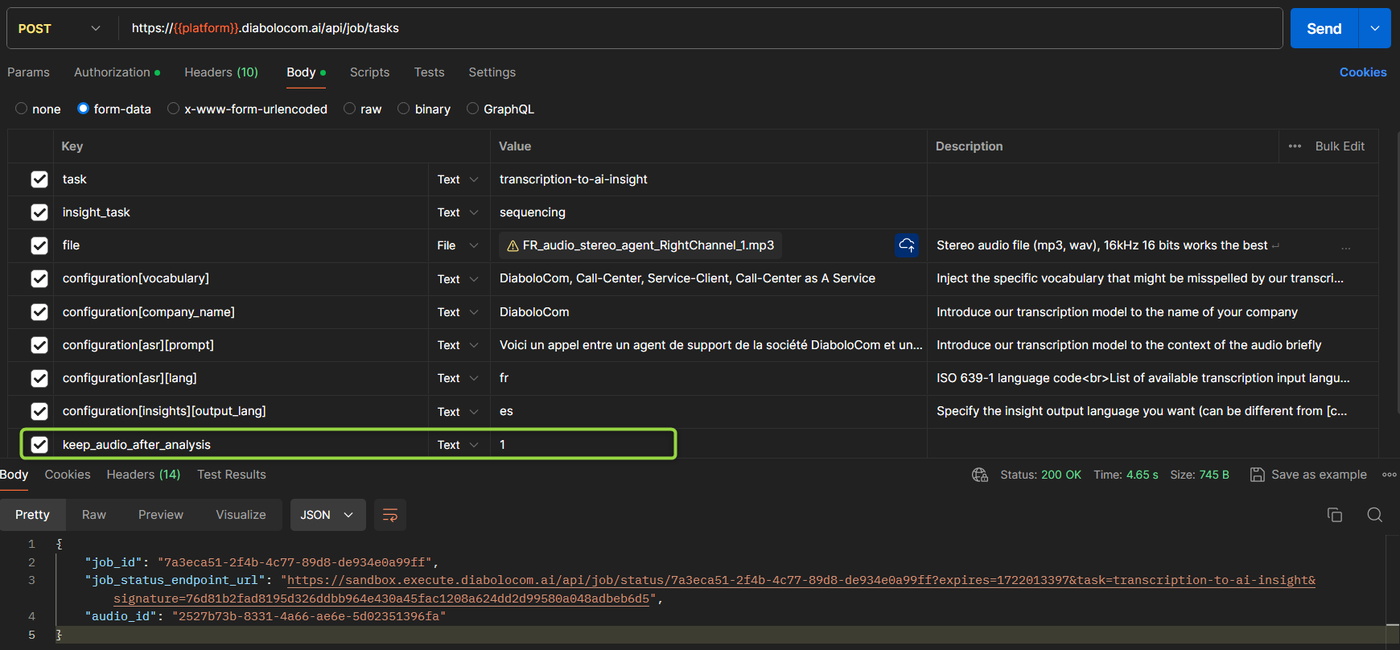
The new parameter is keep_audio_after_analysis and it has two possibles values : "0" (by default) or "1".
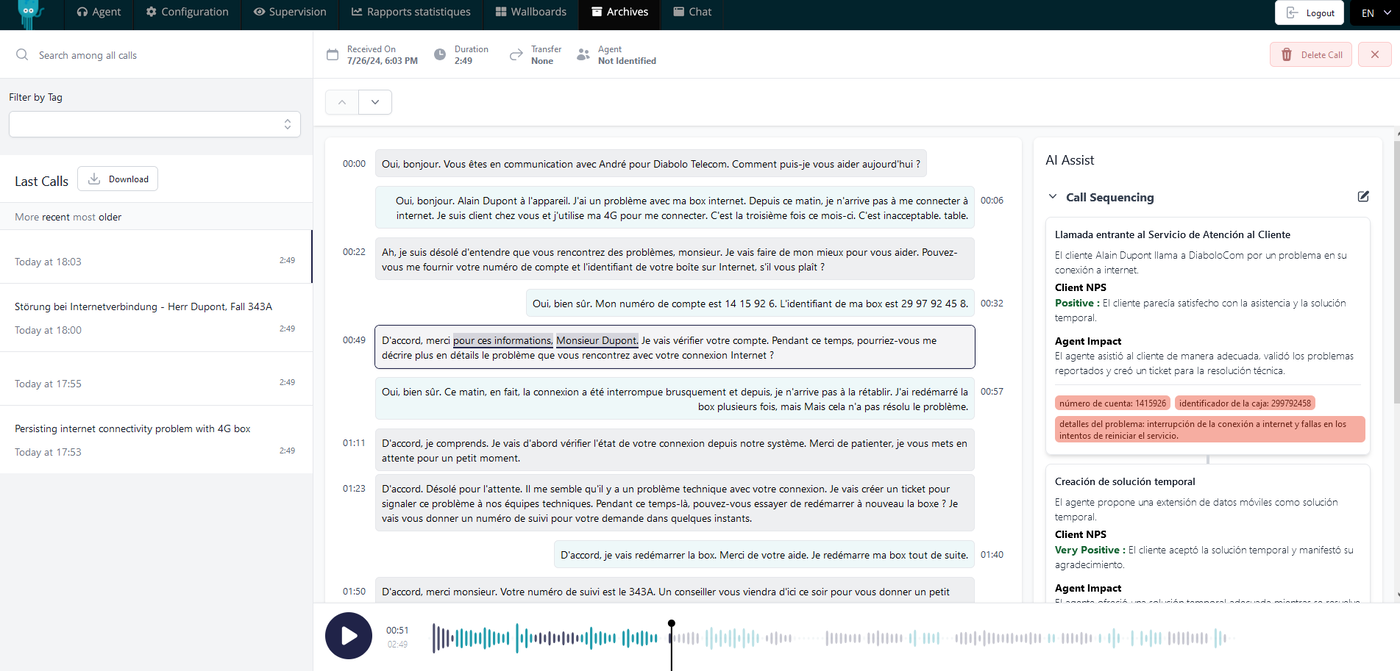
If set to "1" (true), the audio file won't be deleted right after transcription, it will stay securely stored and might be accessed on demand and consumed in our advanced transcription web components or via API.
Example of parameter impact and audio access from Call library
When the parameter is set to "0" or not used, its default value is set to "0", then after transcription, the audio is not stored and, thus cannot be fetched in Call library interface.
Sample API request transcript-to-ai-insight without parameter keep_audio_after_analysisCall library interface - no audio stored to be loaded (no audio player)
When the parameter is set to "1", then after transcription, the audio is stored and, thus can be fetched in Call library interface.
Sample API request transcript-to-ai-insight without parameter keep_audio_after_analysis = "1"Call library interface - audio stored and played
Audio encryption is now enabled by default. Once a file is received on
our platform, a unique encryption key is generated and the file is
encrypted and stored securely
File is decrypted on demand by our distributed inference system while transcribing the audio
File is decrypted on demand via API or Interface (frontend) when audio needs to be retrieved
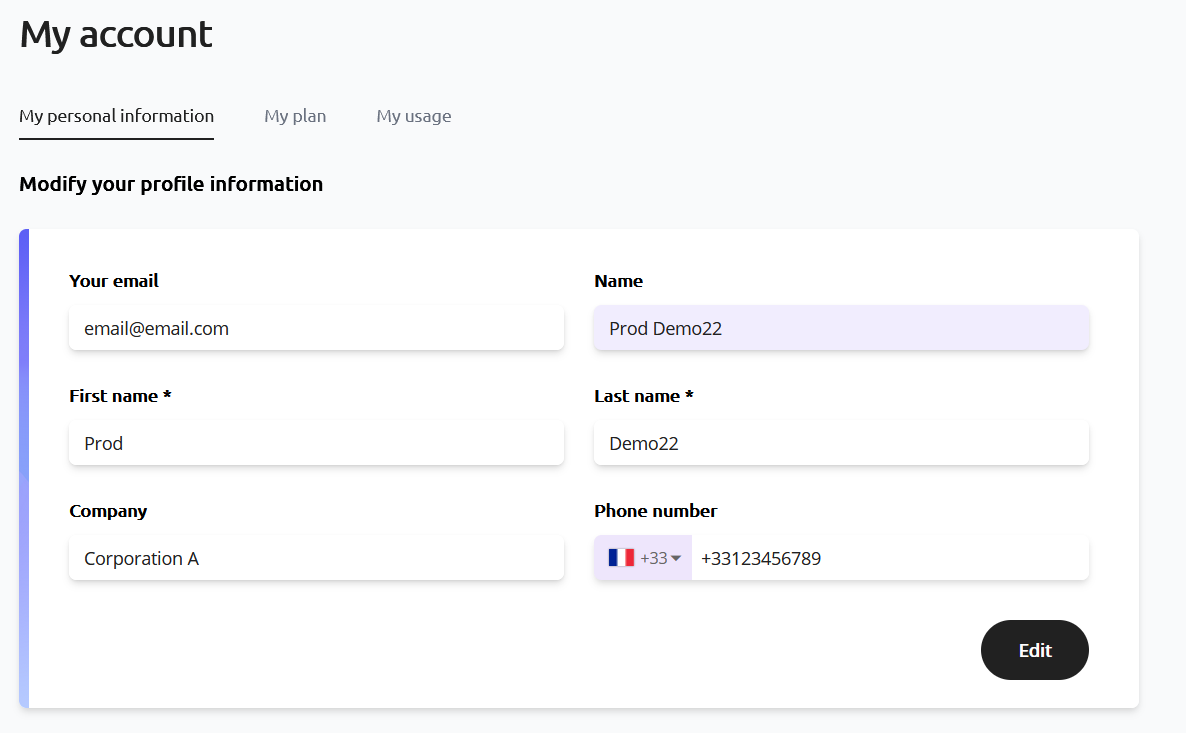
A user used to have the following attributes : email(*), name(*), company and website.
Website attribute is removed. Phone number attribute is added (optional attribute) : E.164 format standard. First name(*) and Last name(*) are added as mandatory user attributes. The name attribute is no longer editable and is computed automatically based on First name and Last name attributes.
User profile pageSign up page
Note 1 : For users that sign up using SSO (Google or Github), First name, Last name and Name attributes are prefilled by user info available.
Note 2 : All user attributes are synced with Stripe customer attributes (in case of subscription handled by Stripe).