Possibility to add metadata in AI public APIs
It is now possible to add metadata in AI APIs, with custom data relevant to the customer request and context, that is sent in API request payload and is then retrieved in API response content.
This feature will allow project managers and customers, that are using AI APIs, to link the performed AI analysis with :
- CCaaS relevant parameters : call id or mail id, thread id, queue id or queue name, agent id, agent name, ...
- External system relevant parameters : external contact id, external agent id, external audio/text storage id, ...
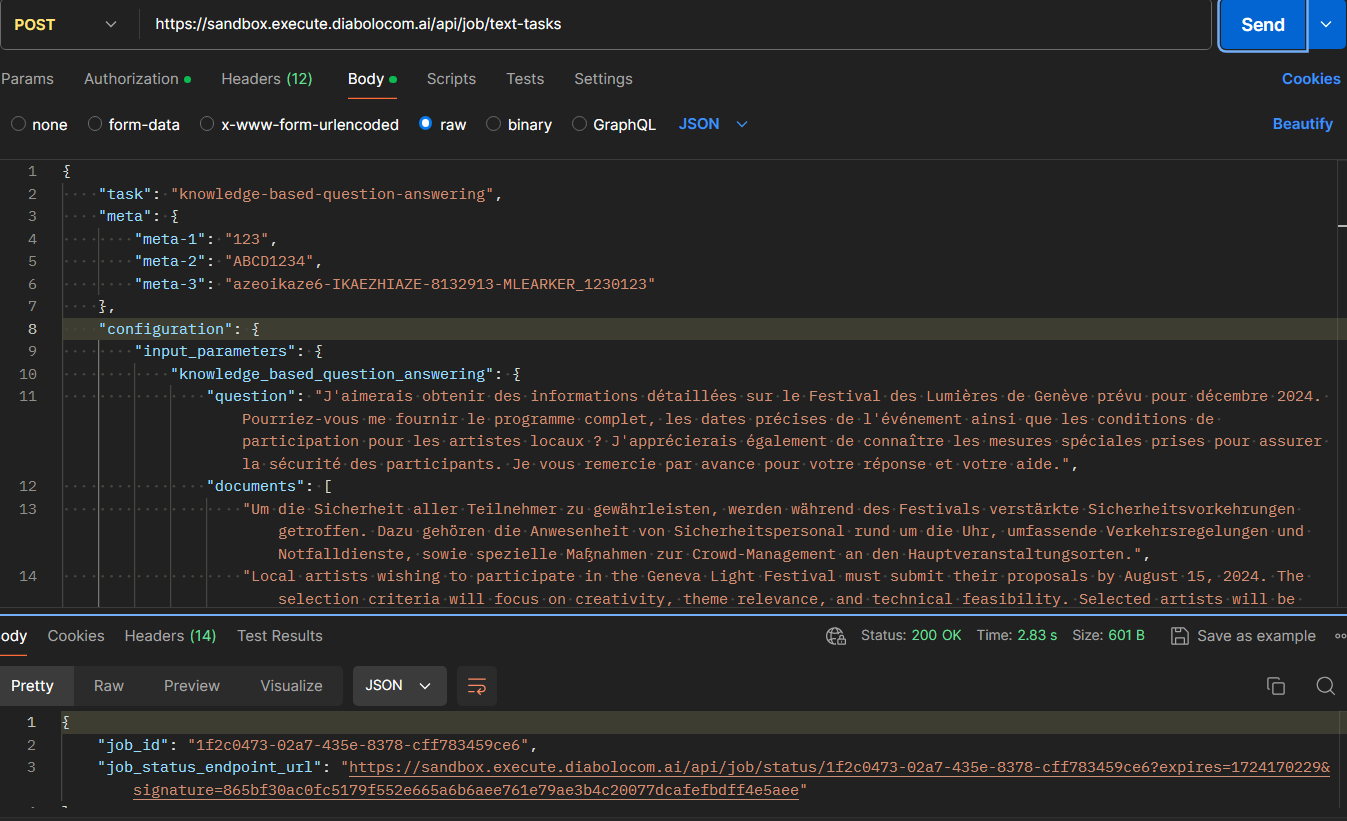
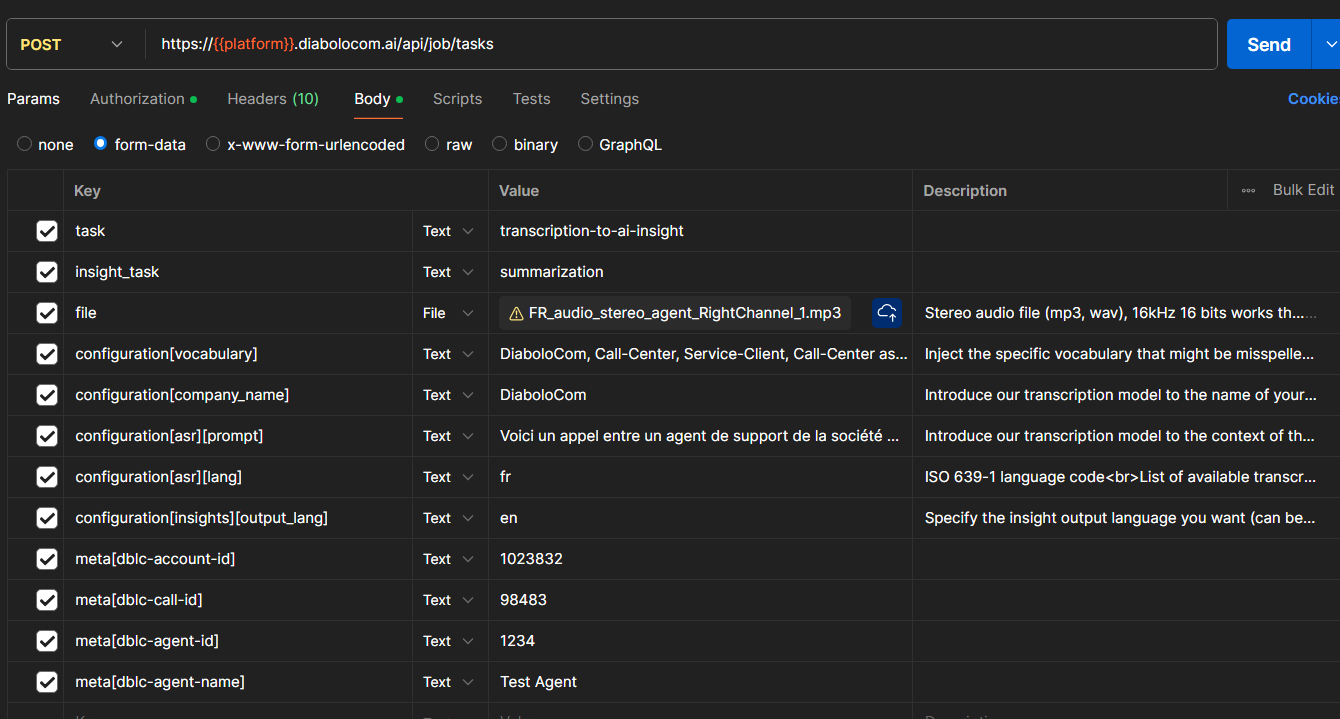
The possibility to add metadata is available for all public API endpoints :api/job/tasks (for audio-based AI analysis)api/job/text-tasks (for text-based AI analysis)
Request format
The metadata can be added using the object meta that has string key:value pairs.
⚠️ meta keys are automatically converted to Lower Case format (e.g. Diabolocom_Id is converted to diabolocom_id).
It
is recommended to add keys in Lower Case format, to have identical meta
keys for both input and output payloads (content of meta object).
Example 1 : Case of audio-based AI analysis
The request content type is form-datameta[dblc-account-id]: "1023832"
meta[dblc-call-id]: "98483"
meta[dblc-agent-id]: "1234"
meta[dblc-agent-name]: "Test Agent"
Example 2 : Case of text-based AI analysis
The request content type is JSON"meta": {"mail-id": "1024",
"contact-session-id": "5db2c7cc-64d5-4b0a-be1f-453e9b47bff6",
"thread-id": "758"}
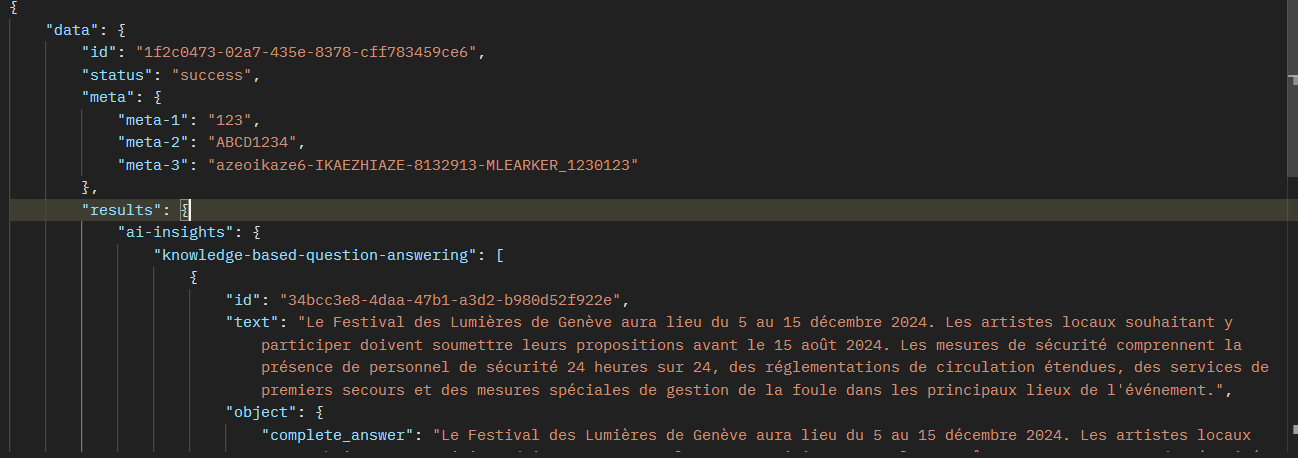
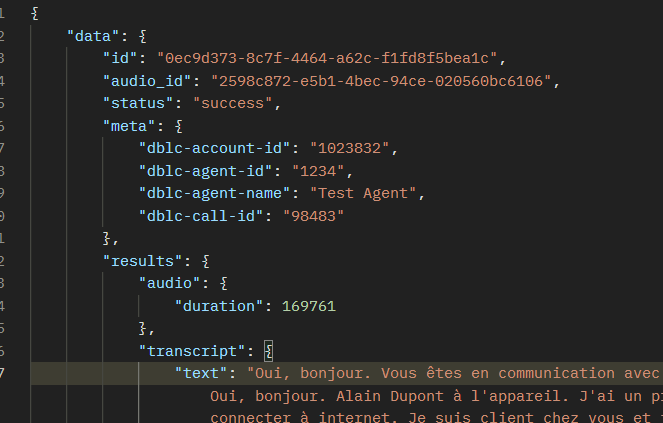
Response format
The job status API response body is in JSON format.
Metadata is contained in the object meta that has string key:value pairs.
Screenshots
api/job/tasks (for audio-based AI analysis)
api/job/text-tasks (for text-based AI analysis)