Rework of Reports and analyses page - Integration of "Voice Analytics - Interactions"
A new version of "Report and analyses" page is available on production in app.diabolocom.ai
The "Report and analyses" page is reworked to include the following features :
- History of audio-based analyses performed
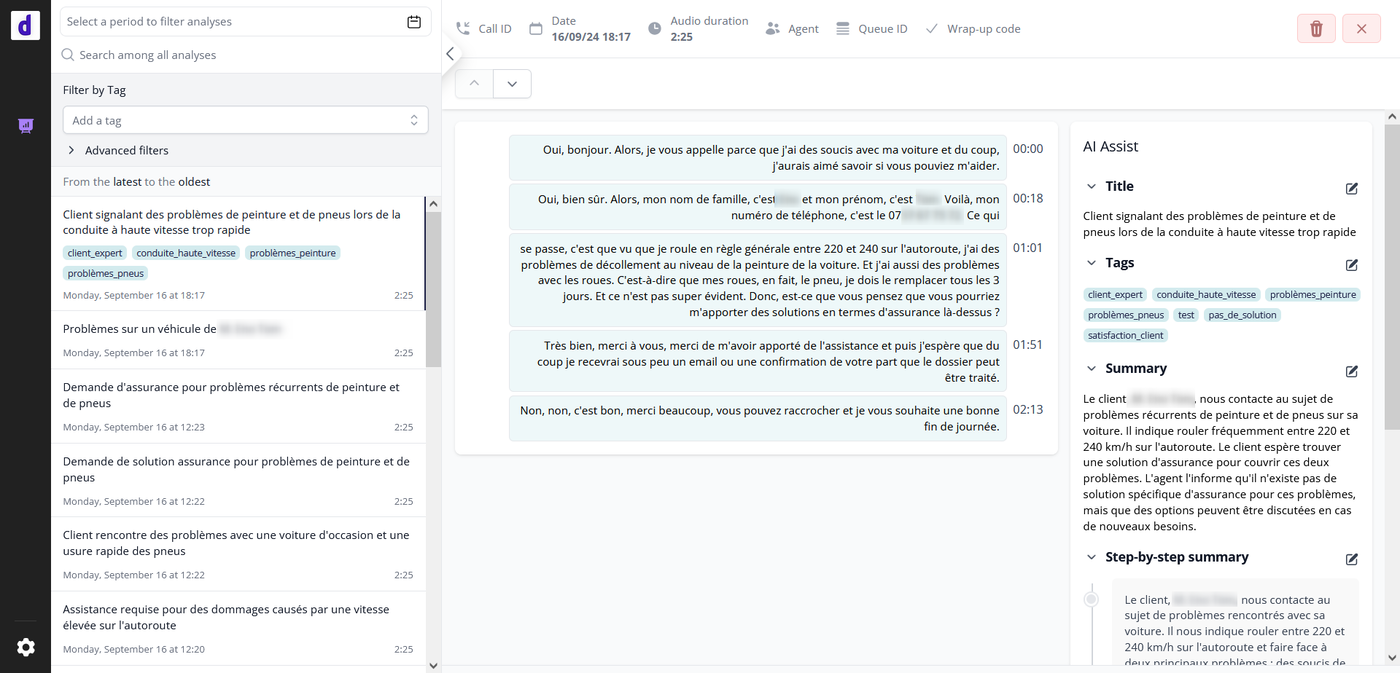
- Detailed view of a single audio-based analysis, including transcript and AI results
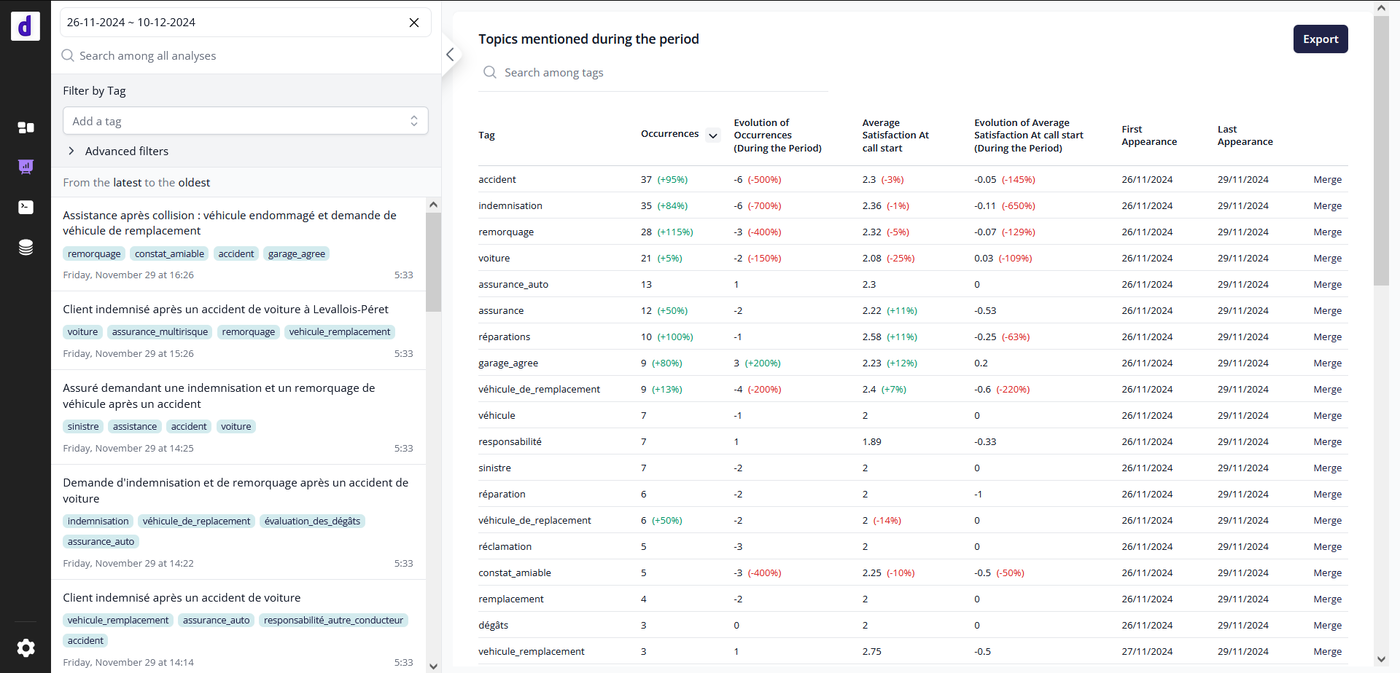
- Topics report based on tags generated
- Enhanced search and filter capabilities
- U.I. improvement for a better readability and user experience (styling harmonization, metadata filters applied on click, collapsible left panel, ...)
Also, thanks to a feature toggle implemented by AI team, it is possible to restrict users access to view only this page inside app.diabolocom.ai -> It can used by Diabolocom customers as a standalone solution "Voice Analytics - Interactions".
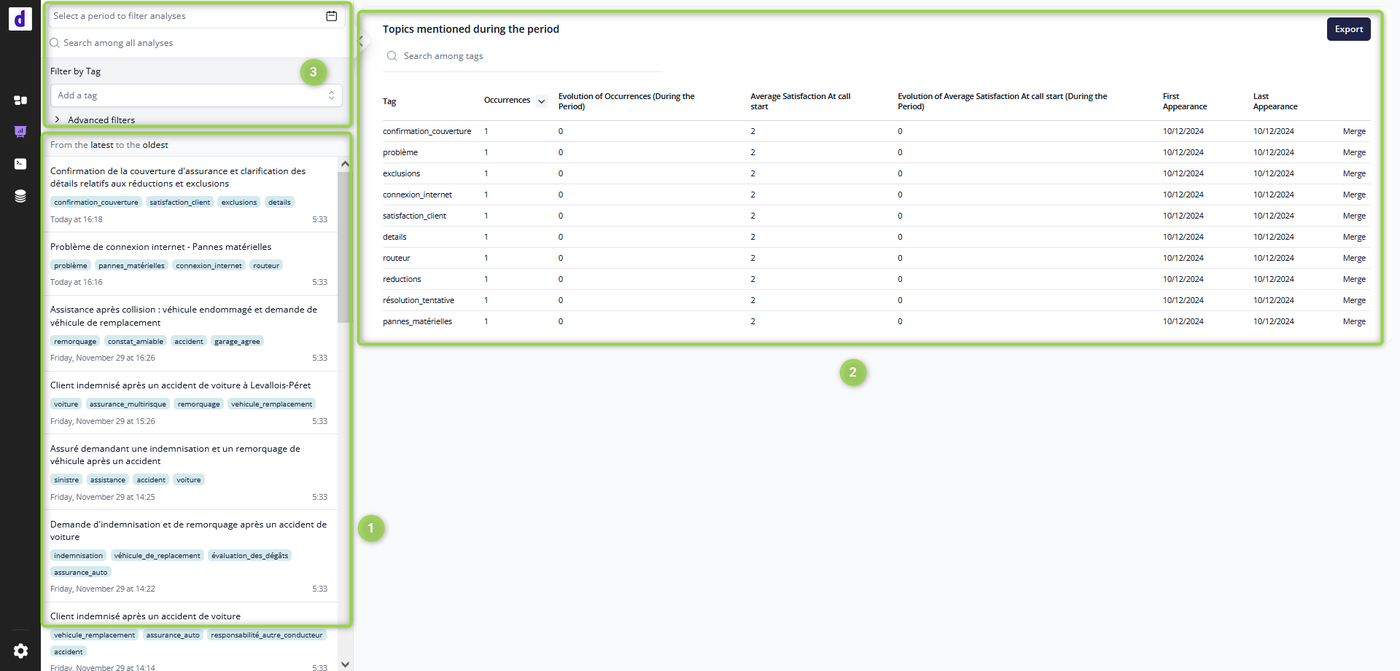
Detailed list of features
(1) History of audio-based analyses performed : List of all audio-based analyses performed on AI account in descending chronological order (most recent first)
- by default : All AI account analyses (20 most recent analyses, with a cursor to load more analyses)
- If a filter is applied : AI account analyses filtered (20 most recent analyses, with a cursor to load more analyses)
Each row item represents an audio-based analysis (accessible by clicking on the item) with the following information :
- Date and time of analysis
- Audio duration
- Title generated if
summarizationAI model applied (otherwise empty title) - List of tags generated if
summarizationAI model applied with optional tag generation enabled (otherwise empty)
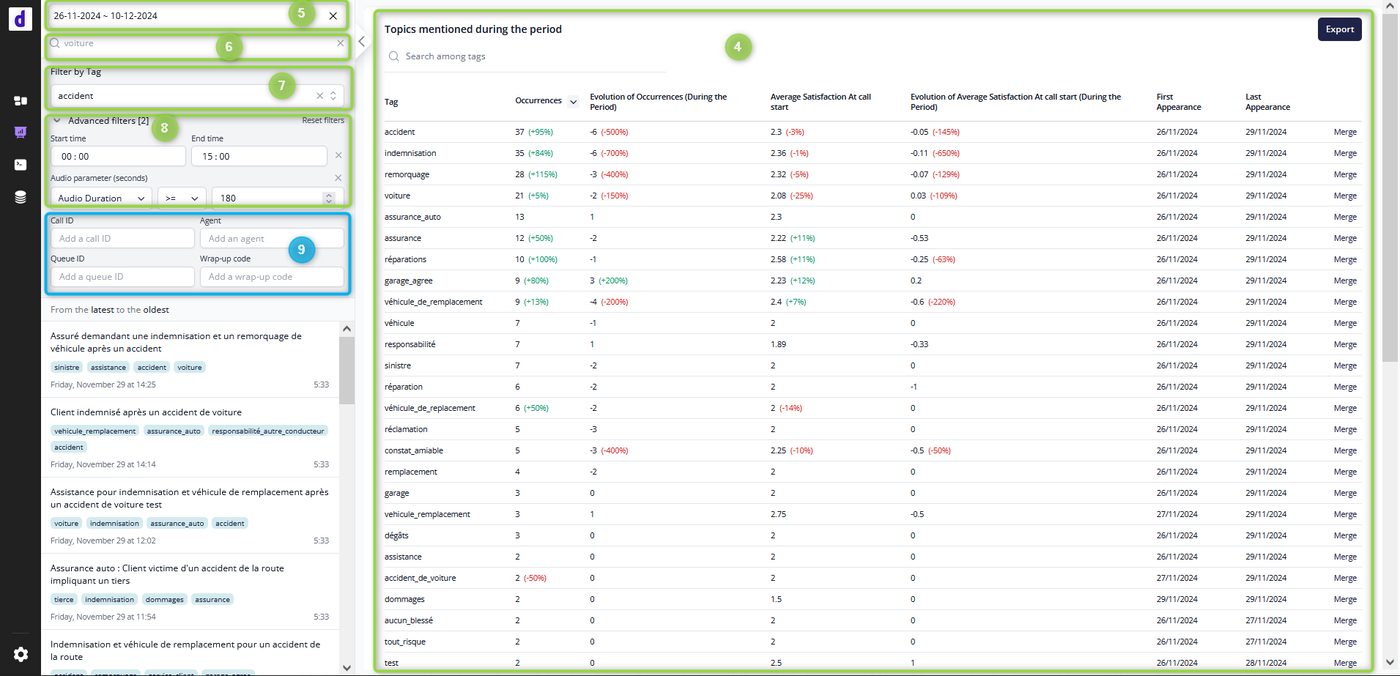
(2) Statistic Report "Topics mentioned during the period" : Report based on tags generated if summarization AI model applied with optional tag generation enabled and if nps-estimation AI model applied as well
- by default : Tags statistics for current date
- (4) If a date period filter is applied : Tags statistics during the selected period (max date period: 33 days)
The report can show up to 50 results, ordered by default by number of descending tag occurrences order (it is possible to change results order).
It is also possible to export tags report results with "Export" button ➝ Excel file.
In addition to date period filter, it is possible to apply a filter by tag name (search field).
It is also possible to merge tags, in order to keep only relevant tags, with combined statistics (all stats of merged tag are added to designated tag).
! Metrics on client satisfaction related to tags are only generated when AI model nps-estimation applied (otherwise not incremented).
(3) Enhanced search and filter capabilities
- (5) Filter by date period ➝ applied on both AI analyses list and Tags report
- (6) Search among all analyses ➝ Filter applied on AI analyses list with a partial match of :
- tag name ➝ search among all tags containing user input (a portion in tag name)
- transcript ➝ search among all transcripts containing user input
- id or provider_id ➝ search among all audio-based analyses internal ID (id) or external ID (provider_id) : Call ID for instance - (7) Filter by tag name ➝ Filter applied on AI analyses list with an exact match of tag name (the complete tag name)
- (8) Advanced Filters ➝ Filter applied on AI analyses list
- Filter by time period
- Filter by audio duration (in seconds)
- (9) Diabolocom CCaaS Metadata filters ➝ Filters visible only if the AI account is linked to a Diabolocom CCaaS account, applied on AI analyses list
-- Filter by Call ID (Diabolocom CCaaS Call ID)
-- Filter by Agent (Diabolocom CCaaS agent login)
-- Filter by Queue ID (Diabolocom CCaaS Queue ID)
-- Filter by Wrap-up code (Diabolocom CCaaS wrap-up code name)
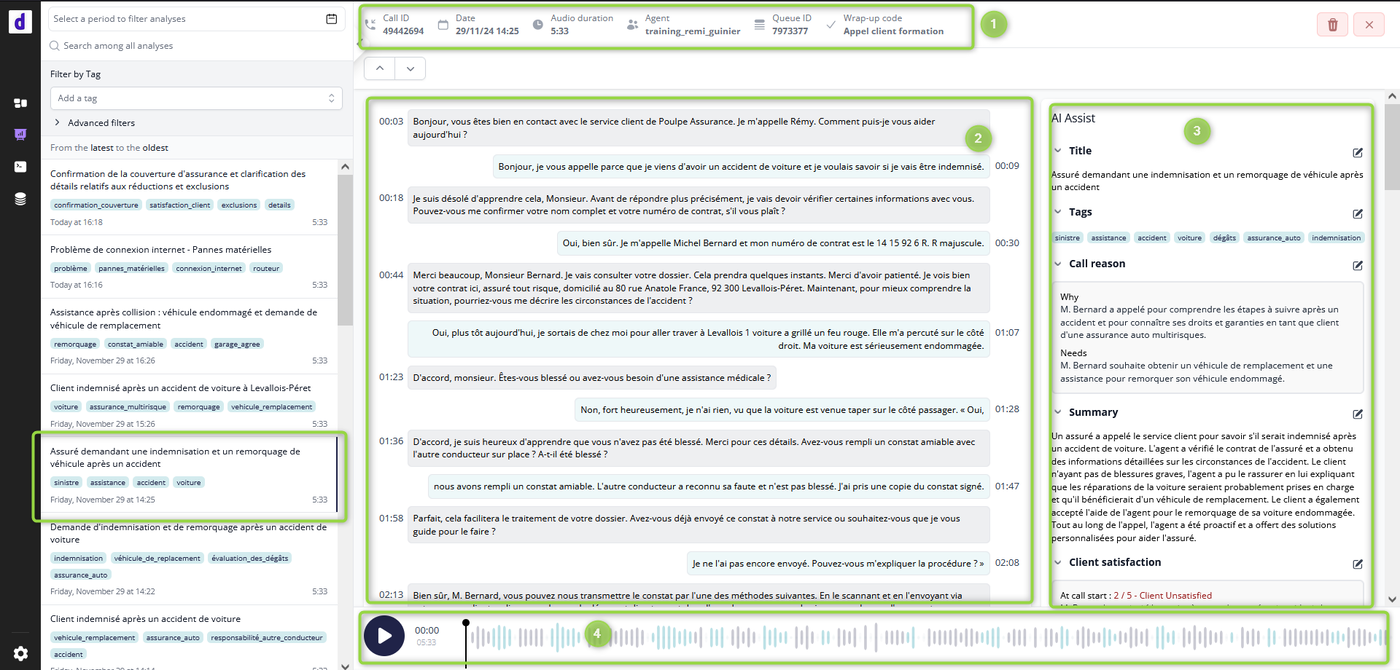
Detailed view of a single audio-based analysis, including transcript and AI results :
(1) Audio-based analysis Metadata
- Call ID:
- Diabolocom CCaaS Call ID in case of AI account linked to Diabolocom CCaaS
- External ID provided in API request payloadoriginal_call_id - Date and time
- Audio duration
- Agent: Diabolocom CCaaS Agent Name in case of AI account linked to Diabolocom CCaaS (otherwise empty)
- Queue ID: Diabolocom CCaaS Queue ID in case of AI account linked to Diabolocom CCaaS (otherwise empty)
- Wrap-up code: Diabolocom CCaaS Wrap-up code name in case of AI account linked to Diabolocom CCaaS (otherwise empty)
(2) Timestamped transcript
(3) AI analyses results
(4) Audio player to listen to audio (with highlight in transcript)
- In case of AI account linked to Diabolocom CCaaS : audio fetched from CCaaS account ➝ available during audio recording retention time in CCaaS
- Otherwise : audio available only if audio stored (API request parameter
keep_audio_after_analysis:1)